Shure Incorporated
16/45
Connecting to External Hardware
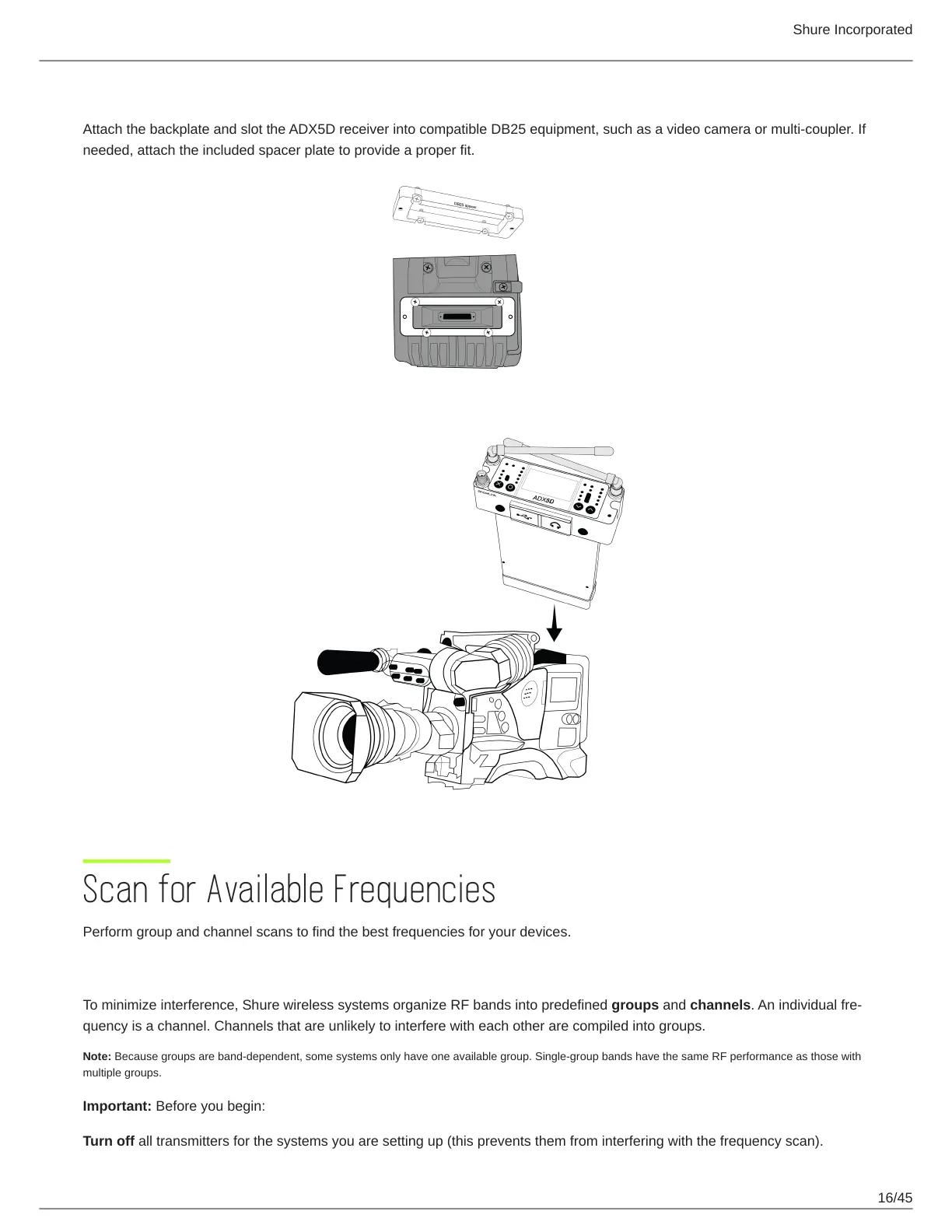
Attach the backplate and slot the ADX5D receiver into compatible DB25 equipment, such as a video camera or multi-coupler. If
needed, attach the included spacer plate to provide a proper fit.
Scan for Available Frequencies
Perform group and channel scans to find the best frequencies for your devices.
What are groups and channels?
To minimize interference, Shure wireless systems organize RF bands into predefined groups and channels.Anindividualfre
quency is a channel. Channels that are unlikely to interfere with each other are compiled into groups.
Note: Because groups are band-dependent, some systems only have one available group. Single-group bands have the same RF performance as those with
multiple groups.
Important: Before you begin:
Turn off all transmitters for the systems you are setting up (this prevents them from interfering with the frequency scan).



 To Next Page