Shure Incorporated
41/70
◦
◦
•
•
•
Do not connect both network ports to the same Ethernet switch
Use a star network topology to minimize audio latency
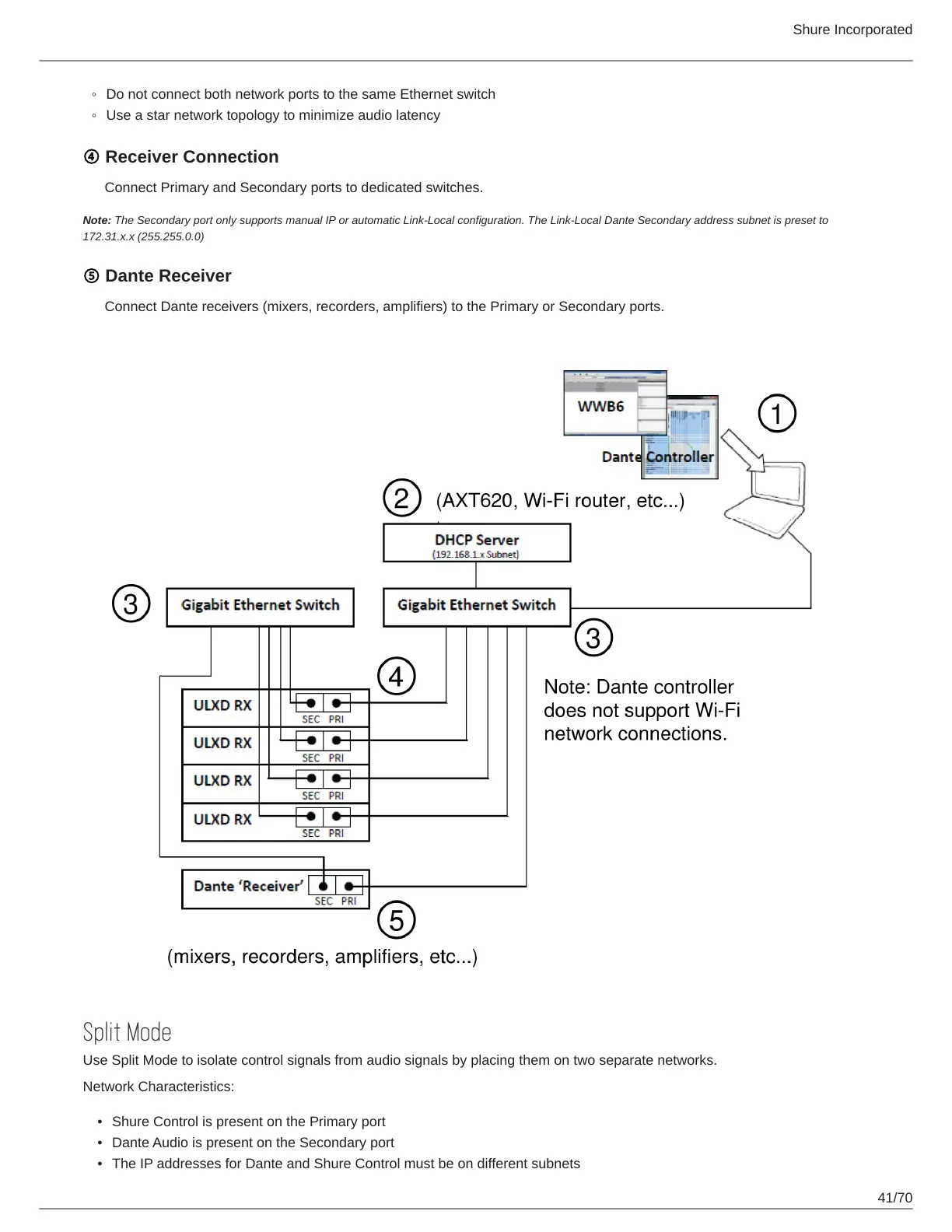
④ Receiver Connection
Connect Primary and Secondary ports to dedicated switches.
Note: The Secondary port only supports manual IP or automatic Link-Local configuration. The Link-Local Dante Secondary address subnet is preset to
172.31.x.x (255.255.0.0)
⑤ Dante Receiver
Connect Dante receivers (mixers, recorders, amplifiers) to the Primary or Secondary ports.
Split Mode
Use Split Mode to isolate control signals from audio signals by placing them on two separate networks.
Network Characteristics:
Shure Control is present on the Primary port
Dante Audio is present on the Secondary port
The IP addresses for Dante and Shure Control must be on different subnets



 To Next Page