- 33 -
C1
C2
F
Front-Panel Connectors
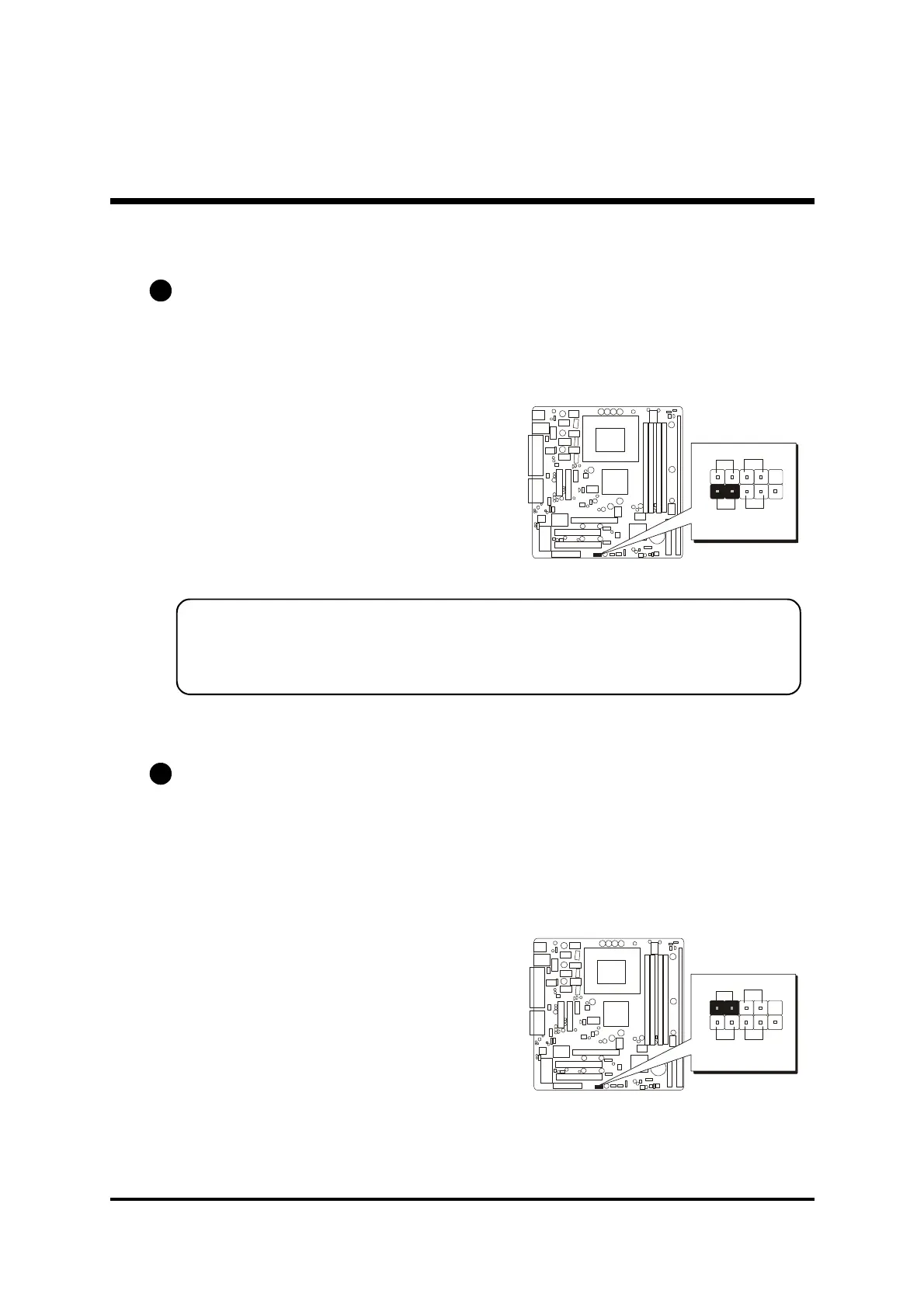
HDD LED Connector (HD_LED)
Attach the connector cable from the IDE device LED to the 2-pin (HD_LED)
header. The HDD LED lights up whenever an IDE device is active.
Note:
Please notice all the LED connectors are directional. If your chassis
s
LED does not light up during running, please simply change to the
opposite direction.
Green LED Connector (SP_LED)
The Green-LED(SP_LED) indicates that the system is currently in one of the power
saving mode(Doze/Standby/Suspend). When the system resumes to normal
operation mode, the Green LED will go off. Attach a 2-pin Green LED cable to
Green LED header.
PANEL2
1
2
SP_LED
HD_LED RST
PW-BN
PANEL2
1
2
SP_LED
HD_LED RST
PW-BN



 To Next Page