- 40 -
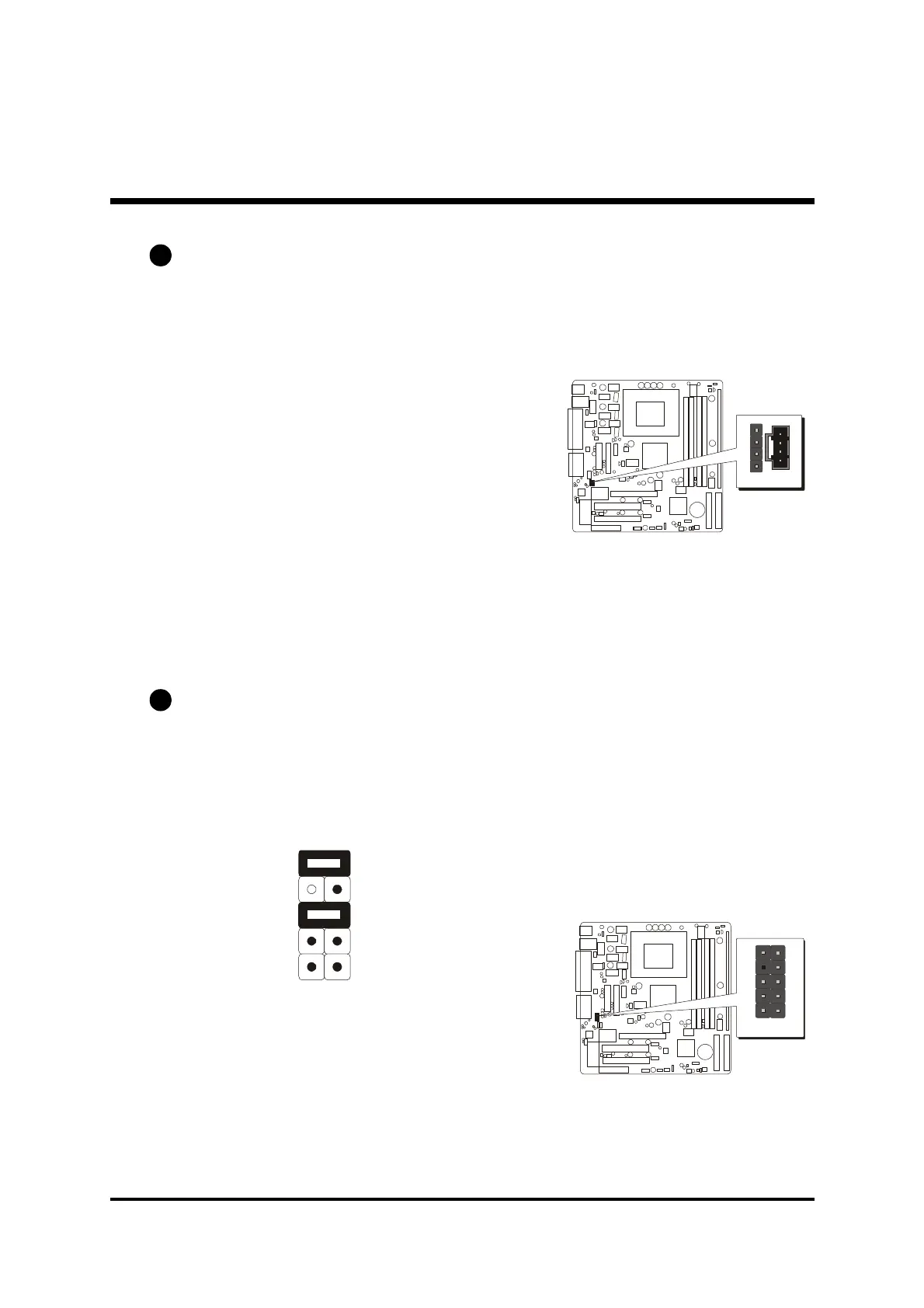
Audio CD_IN Headers (CD1/CD2)
Use the audio cable provided with the CD-ROM/DVD drive to connect to the
mainboard CD-in connector CD1 or CD2.
Pins Assignment:(CD1)
1=GND
2=CD IN L
3=GND
4=CD IN R
Pins Assignment:(CD2)
1=CD IN L
2=GND
3=GND
4=CD IN R
Front-Panel Microphone and Line_out Header (PANEL1)
This header allows users to install auxiliary front-oriented microphone and line-
out ports for easier access. Either the Mic and Line_out connector on back-
panel or Panel1 header are available at the same time. If you would like to use
this Panel1 header on front-panel, please remove all jumpers from PANEL1
and install your special Extra Mic / Line_out cable instead.
Pins Assignment:
1=MIC In 2=GND
3=VCCMIC 4=+5V Audio
5=Line Out(R) 6=Line Out(R)
7=NC 8=Empty
9=Line Out(L) 10=Line Out(L)
E7
E6
1
3
5
7
9
2
4
6
8
10
CD1
1
CD2
Two mini jumpers
must be setted on
pin5-6 and pin7-9
when the header is
not used.
PANEL 1
1



 To Next Page