4.5.2.2 Sample weight and volume (sample quantity)
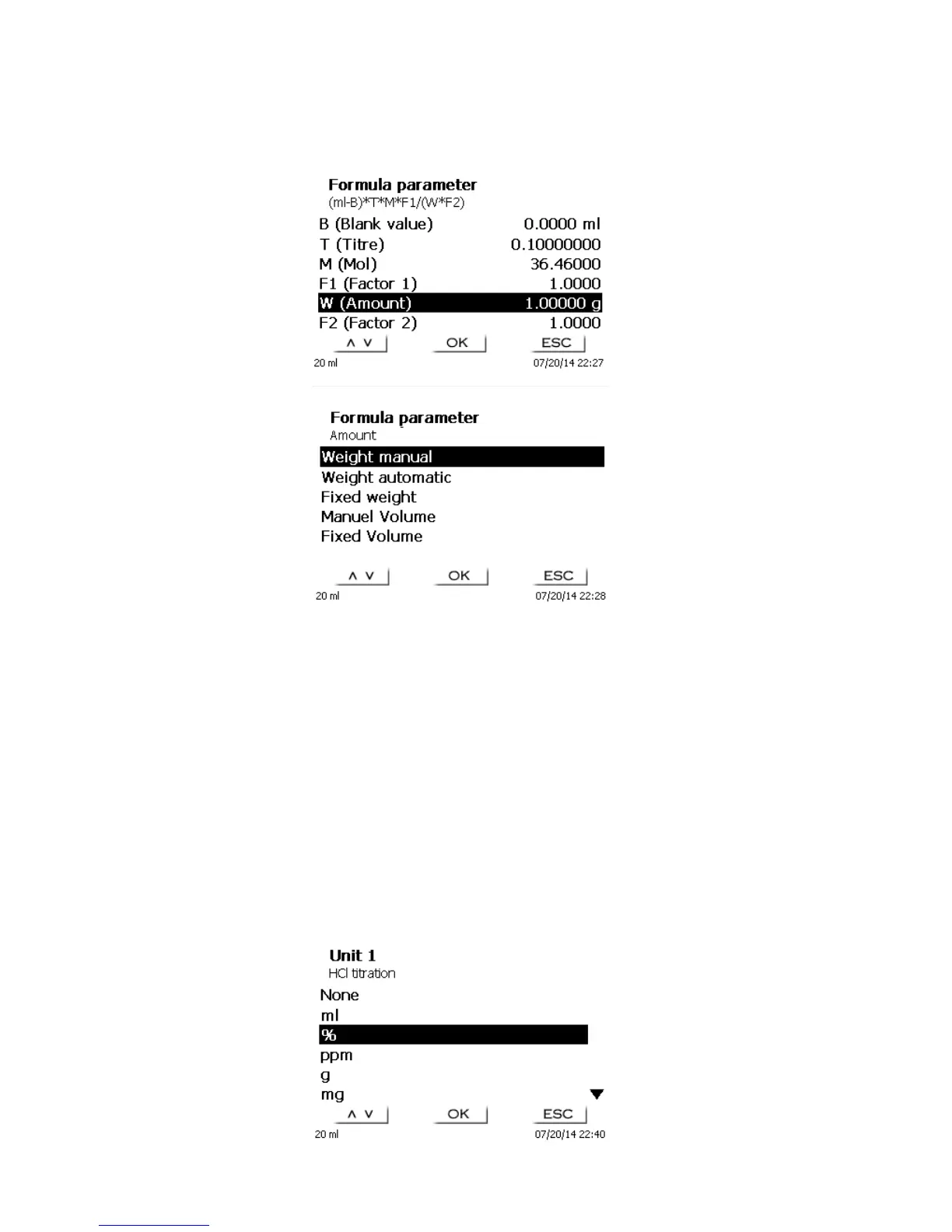
Fig. 50
Fig. 51
The Sample Quantity (W) item is used to select whether one is wishing to use a sample weight or a sample
volume for titration or solution preparation.
You have the following options (Fig. 51):
Manual sample weight: The sample weight is enquired by a prompt at the start of the method and
manually input.
Automatic sample weight: The sample weight is automatically transferred by a connected balance.
Fixed sample weight: A fixed sample weight is input in g. This weight will then automatically be used for
each start of the method without any sample weight being enquired by a prompt.
Manual sample volume: The sample volume in ml is prompted at the start of the method and manually
input.
Fixed sample volume: A fixed sample volume is input in ml. this volume will then automatically be used
for each test of the method without any sample volume enquired by a prompt.
4.5.2.3 Formula unit
The formula unit can be selected in the Unit submenu.
Fig. 52



 To Next Page