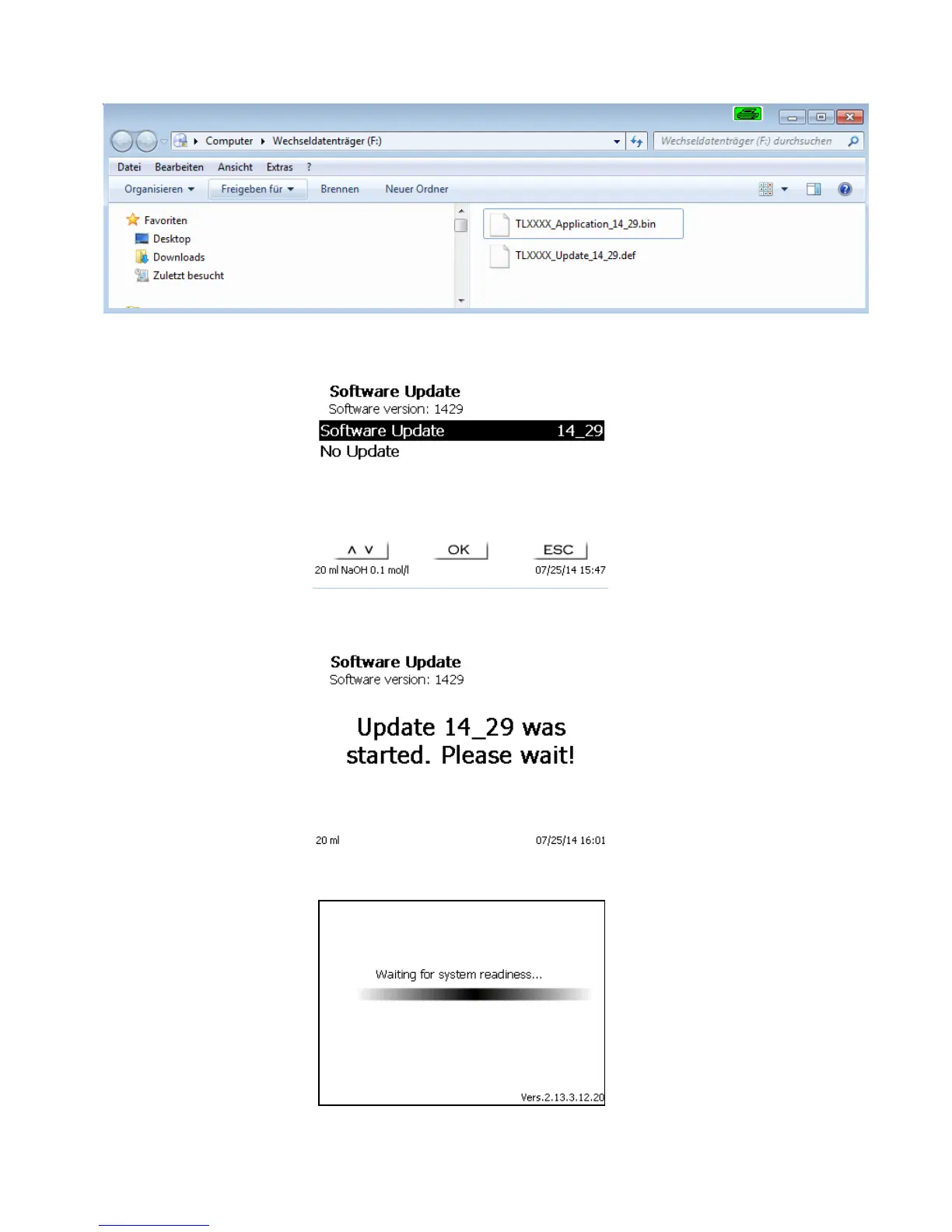
Plug the USB stick into a free USB-A port, wait for some seconds, and then select the Software Update function.
The valid software updates will be shown on the display. In the present case this is Version „14_29“ from week
29, year 2014.
Fig. 95
After starting the update using <OK/ENTER>, next thing to appear is the following graphic:
Fig. 96
which will change after a few seconds to the following display:
Fig. 97



 To Next Page