3.3.1.1 Illumination unit
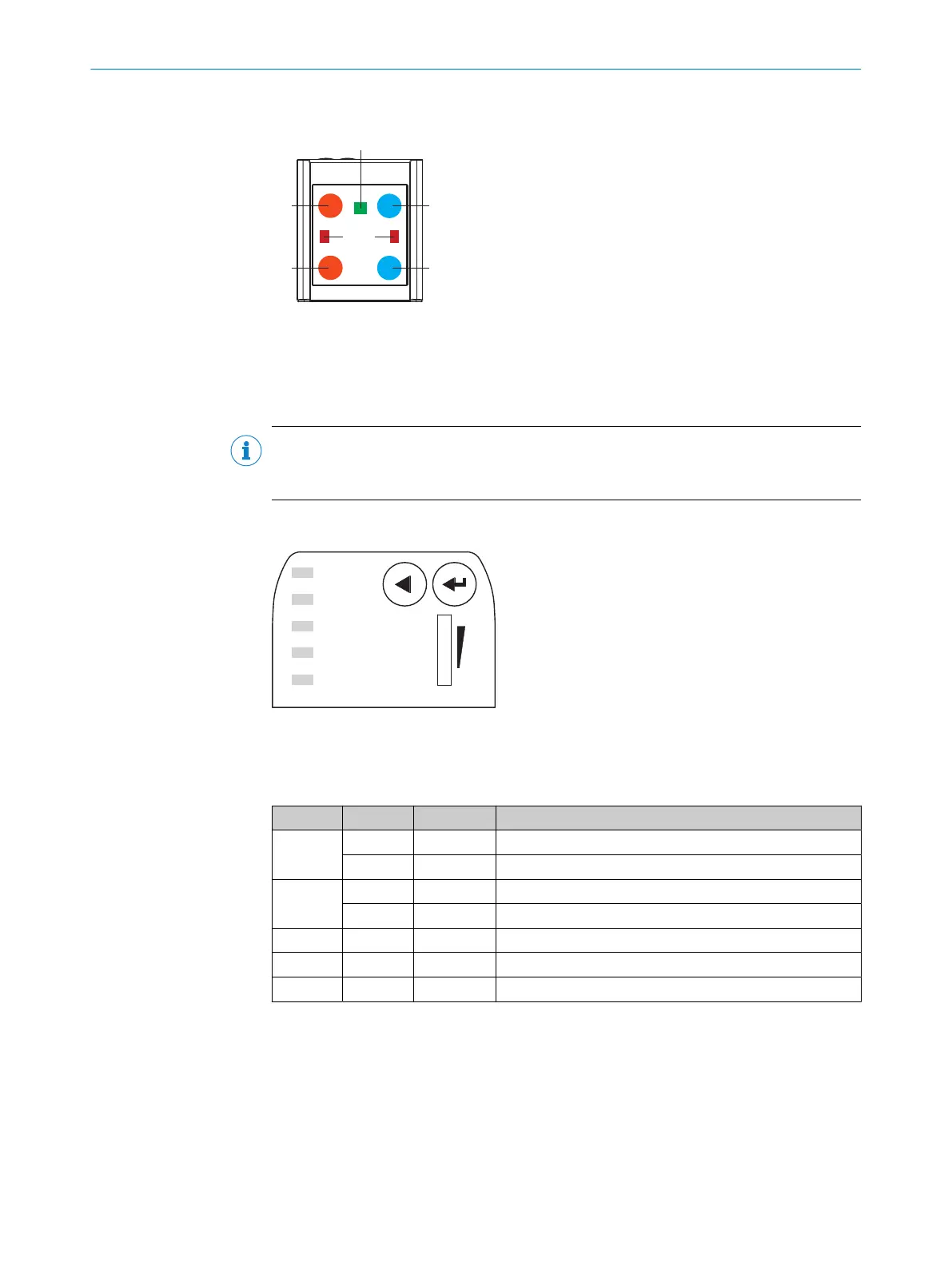
Figure 2: Illumination unit (integrated illumination unit)
1
4 LEDs (color: visible red light, visible blue light; position: 2 on the left, 2 on the right)
2
Feedback-LED (color: visible green light, e.g. for Good Read)
3
Laser alignment aid, can be deactivated (color: visible red light)
NOTE
To avoid being dazzled by the integrated illumination unit, do not look into the viewing
window of the device.
3.3.2 Display and operating elements
Ready
Read Diagn
Result
TeachIn
LED
Auto-Setup
Data
Autofocus
LNK TX
Userdefined
300
200
100
70
40
100
0
[mm]
[%]
O
O
O
O
O
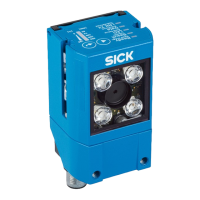
Figure 3: Status LEDs and bar graph on the top of the device
Status LEDs
Table 4: Device status (first display level)
Display LED Color Status
Ready
O
Green Device is ready
O
Red Hardware or software error
Result
O
Green Read operation successful
O
Red Read operation unsuccessful
LED
O
Green Read mode: illumination on, internal reading interval open
Data
O
Yellow Data output via host interface
LNK TX
Ö
Green Data traffic via Ethernet
O = illuminated; Ö = flashing
PROFINET operation (single port)
The Ready status LED signals the device status in the PROFINET network.
PRODUCT DESCRIPTION 3
8024289/19E9/2020-10-21 | SICK O P E R A T I N G I N S T R U C T I O N S | GLS621
15
Subject to change without notice


 To Next Page