1. Switch off the supply voltage to the device.
2. Undo the screws on the hinged cover.
3. Making sure it is in the correct position, push the memory card into the slot until
it is released. When doing this, position the contacts so that they are facing to the
rear and upwards, see the card symbol on the device.
4. Remove the memory card.
5. Close the hinged cover. Make sure that the cover is completely flush with the
housing.
6. Tighten the screws on the hinged cover.
7. Switch on the supply voltage for the device.
3.4 Function and use
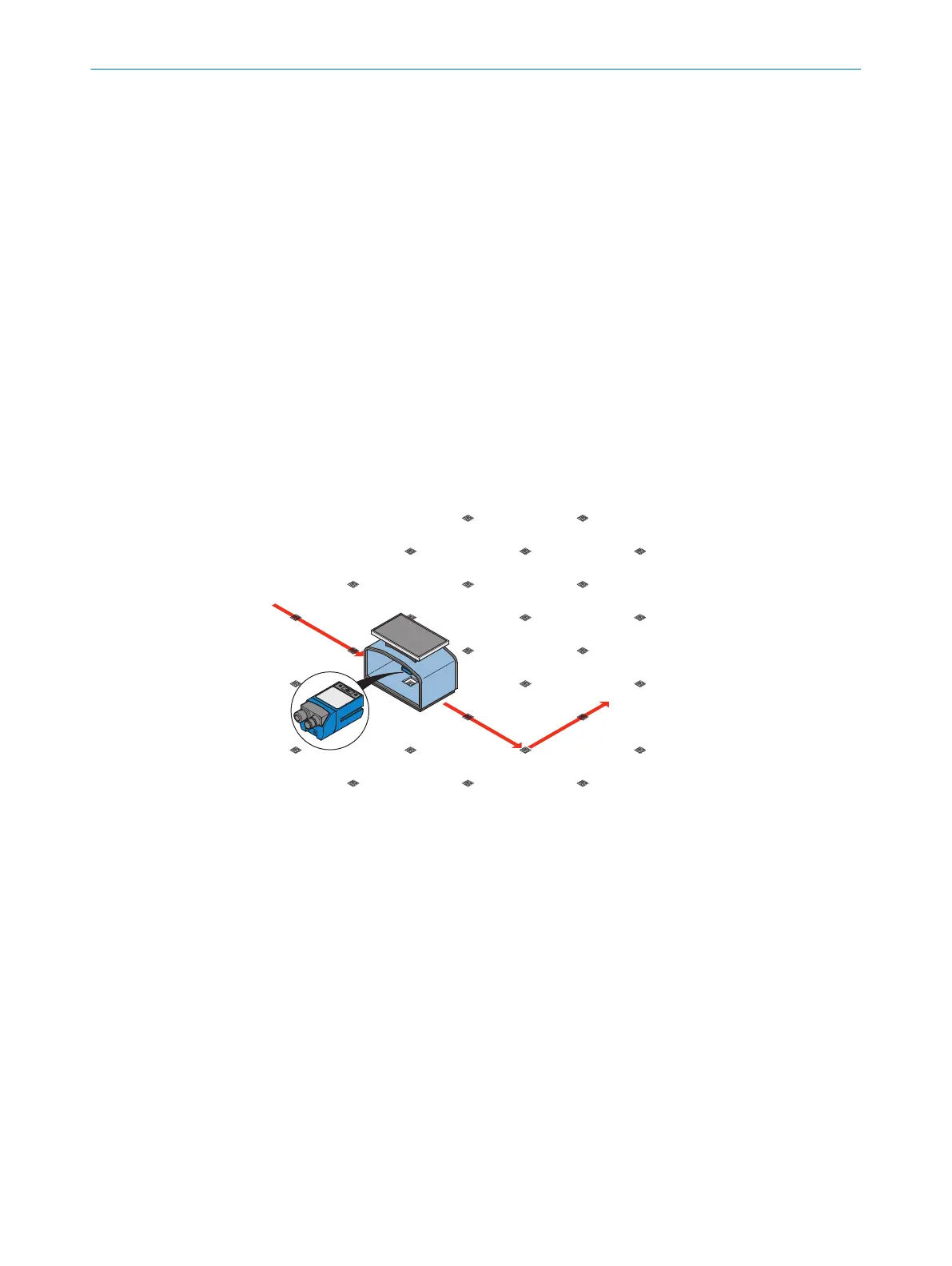
The device localizes automated guided vehicle (AGV) systems using 2D codes.
The device is mounted on the underside of the AGV. The 2D codes are attached in
the form of a raster on the floor. The individual 2D codes are numbered and contain
position information. The device detects and decodes 2D codes. The device uses the
host interface to send the read data, the additionally detected X- and Y-coordinates and
the angle of shift to a higher-level control (e.g. PLC). Using this data, the AGV is localized
and repositioned by the control.
Figure 5: Application description: localization and positioning of the AGV
3.5 2D codes
Optional multicode labels are available for the device as accessories, see "Acces‐
sories", page 55 . The multicode labels are made out of several Data Matrix codes.
3 PRODUCT DESCRIPTION
20
O P E R A T I N G I N S T R U C T I O N S | GLS621 8024289/19E9/2020-10-21 | SICK
Subject to change without notice


 To Next Page