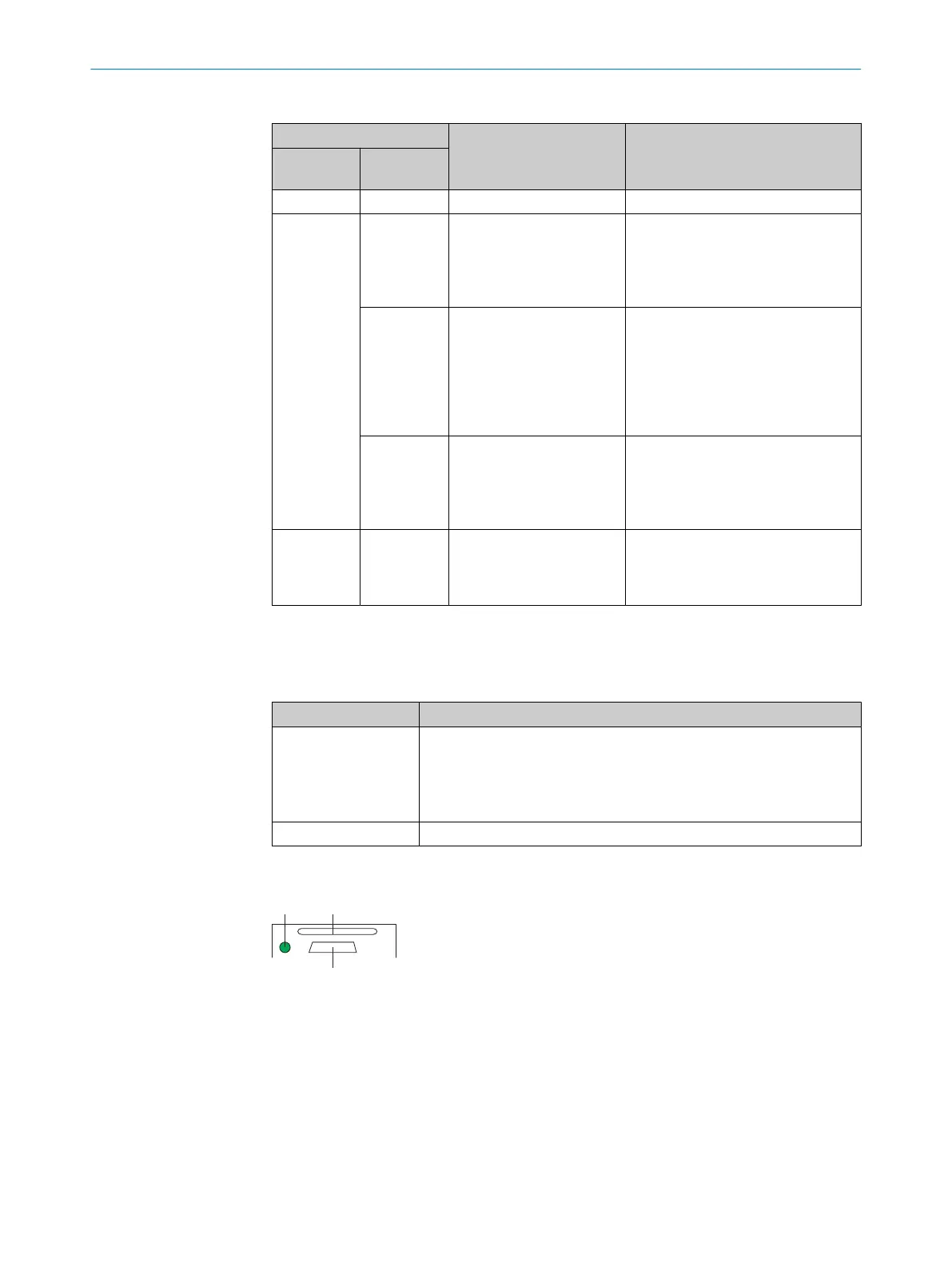
Table 5: Device status in the PROFINET network (first display level, Ready status LED)
Ready LED Device status Remarks
Green com‐
ponents
Red compo‐
nents
O o
Device is ready for use.
O Ö
Red compo‐
nents flash
cyclically
The device status in
the PROFINET network
depends on the flashing
frequency of the red LED
components.
Flashes
every 7 sec‐
onds
Network detection in the
device is active.
After switching on, the device detects
a PROFINET network and activates
the PROFINET protocol. The duration
of network detection can be config‐
ured in SOPAS ET (default: 3 min‐
utes). Network detection can be
deactivated in SOPAS ET.
Flashes
every
0.5 seconds
PROFINET is activated in
the device. The device is
not connected to the PLC
or the device is not config‐
ured.
Ö Ö
PROFINET is activated in
the device.
Prerequisite: the “Flashing” function
was activated for the device in the
configuration software of the PLC
(device identification).
O = lights up; Ö = flashes; o = does not light up
Device functions
Table 6: Function overview
Function Description
Read Diagn (read diag‐
nosis)
Percentage analysis: The device records a series of images and uses
the current reading performance settings to decode them. With the
0 ... 100% bar graph, the device shows the read rate of the last 10%
(90% to 100%).
The bar graph display is activated in standard read mode.
Autofocus The device adjusts to the working distance and stores this permanently.
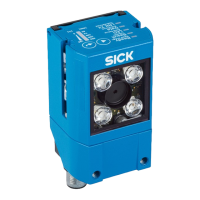
Status LED of the microSD memory card
Figure 4: Display under cover (flap) on rear of device
á
USB interface
â
Slot for microSD memory card
ã
Status LED for the microSD memory card
3 PRODUCT DESCRIPTION
16
O P E R A T I N G I N S T R U C T I O N S | GLS621 8024289/19E9/2020-10-21 | SICK
Subject to change without notice


 To Next Page