Operating Instructions Chapter 3
ICR890
Product description
8011325/0000/2006-10-24 © SICK AG · Division Auto Ident · Germany · All rights reserved 29
3.3 Product features and functions (overview)
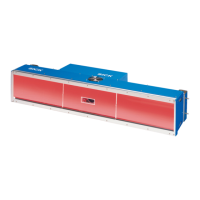
High-end CCD Camera ICD890
• CCD line with 8,192 pixels (standard device)
• Dynamic focus setting
• Lens with 135 mm (5.32) focal distance (standard device)
• Reading area 1,400 to 3,000 mm (55.2 to 118.2 in) (standard device)
• Image resolution 170 to 350 dpi (standard device)
• Conveyor speed max. 4.8 m/s (945 ft/min) with 0.25 mm (9.8 mil) pixel size
• Scanning frequency max. 19.1 kHz (standard device)
• Can be adapted to the print quality of the code
• Analysis area of the CCD line can be restricted
• Real time image output (grey values: “*.bmp“ or “*.jpg“)
User safety and convenience
• Robust, compact metal housing, enclosure rating max. IP 64, CE mark
• Laser class 1M, switching off the LED ICI890 Illumination in case of prolonged active
reading gate or if the output capacity is exceeded, minimum power on-time 3 s
• Automatic self-test on system startup
• Diagnosis tools for system setup and system (distance) monitoring
• Configurable reading diagnosis data display in two reading result formats
• Operational data retrieval, error code display on request in case of errors
• Activatable test string function for signalling readiness for operation
• Password protected configuration mode
• Back up of configuration parameter values (cloning) also on SD memory card
(can be removed when replacing the camera)
• Future proof due to firmware update (flash PROM) via data interface
• Future proof SOPAS-ET Configuration Software
• Extended power supply scope
• Necessary maintenance or service task displayed via LED and system report
• The camera or illumination can be replaced within 20 mins
Convenient operation/configuration
• Configuration (online/offline) and display of image memory contents via the SOPAS-ET
Configuration Software (incl. help system)
• Status indicators via five LEDs
Operating modes
• Configuration mode
• Reading operation
Reading operation modi
• Start/Stop operation
• Object tracking (max. 10 objects per second, minimum gap 50 mm (1.97 in))


 To Next Page