4 Mounting
4.1 Scope of delivery
•
Device in the version ordered
•
Quickstart
•
Safety notes
The fibers are not included in the scope of delivery.
4.2 Mounting requirements
•
Typical space requirement for the device, see type-specific dimensional drawing,
see "Technical data", page 43.
•
Comply with technical data, such as the permitted ambient conditions for opera‐
tion of the device (e.g., temperature range, EMC interference emissions, ground
potential).
•
To prevent condensation, avoid exposing the device to rapid changes in tempera‐
ture.
•
Protect the device from direct sunlight.
•
Shock and vibration-free mounting.
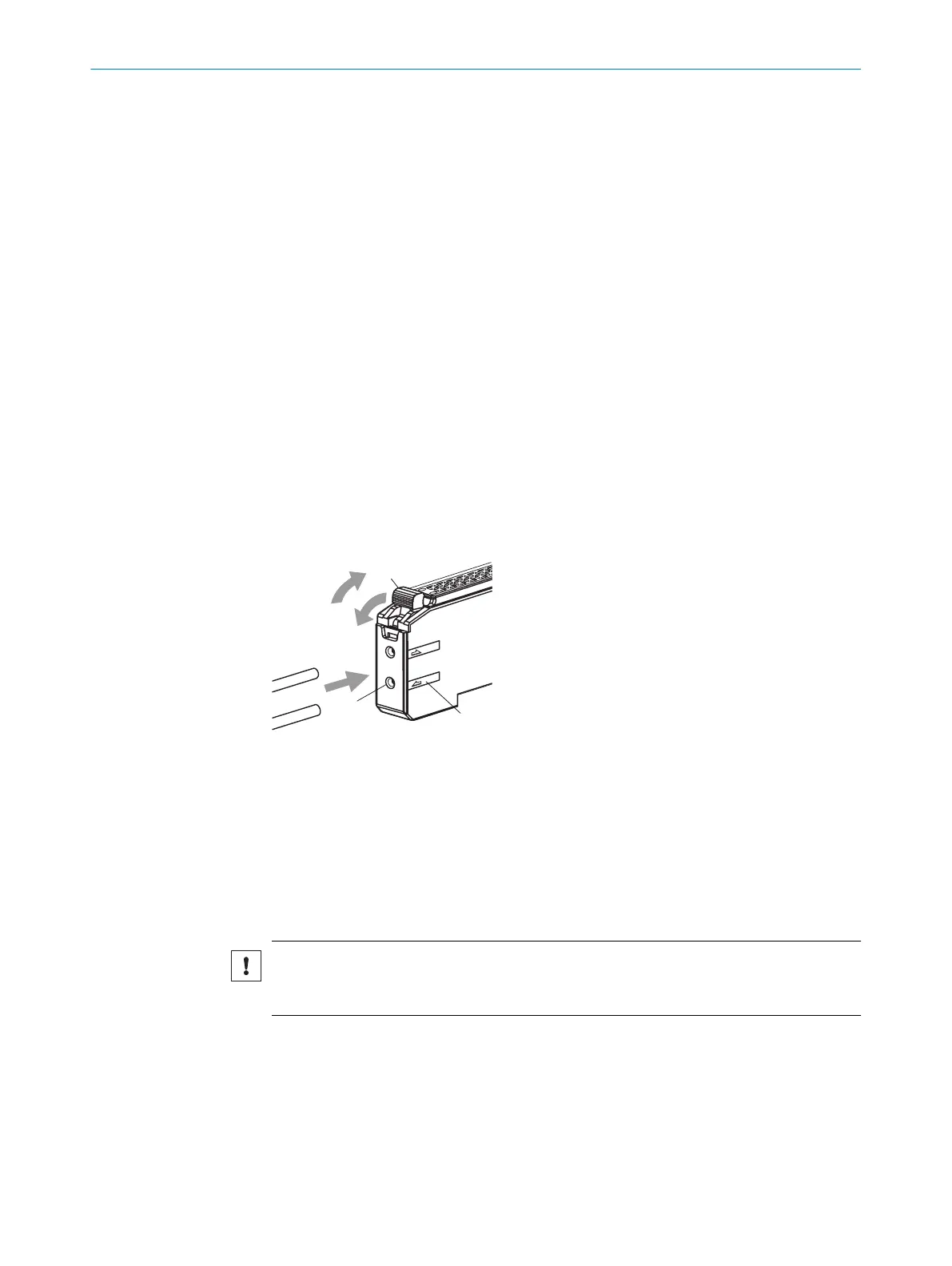
4.3 Connecting fibers
Figure 3: Connecting fibers
1
Fiber interlocking
2
Fiber opening
3
Sender/receiver designation
1.
Open fiber interlocking1.
2.
Insert the fibers into the provided openings 2as far as they will go, about 15 mm.
Check the sender/receiver designation 3while you are doing this.
3. Close the optical fiber interlocking.
NOTICE
When using a pushbutton variant with coaxial fiber arrangement, connect the core fiber
or fiber marked in white to the sender. Connect the second fiber to the receiver.
4 MOUNTING
12
O P E R A T I N G I N S T R U C T I O N S | KTL180 8023304.11XV/2018-11-29 | SICK
Subject to change without notice












 To Next Page