7 Operation
7.1 Operating elements
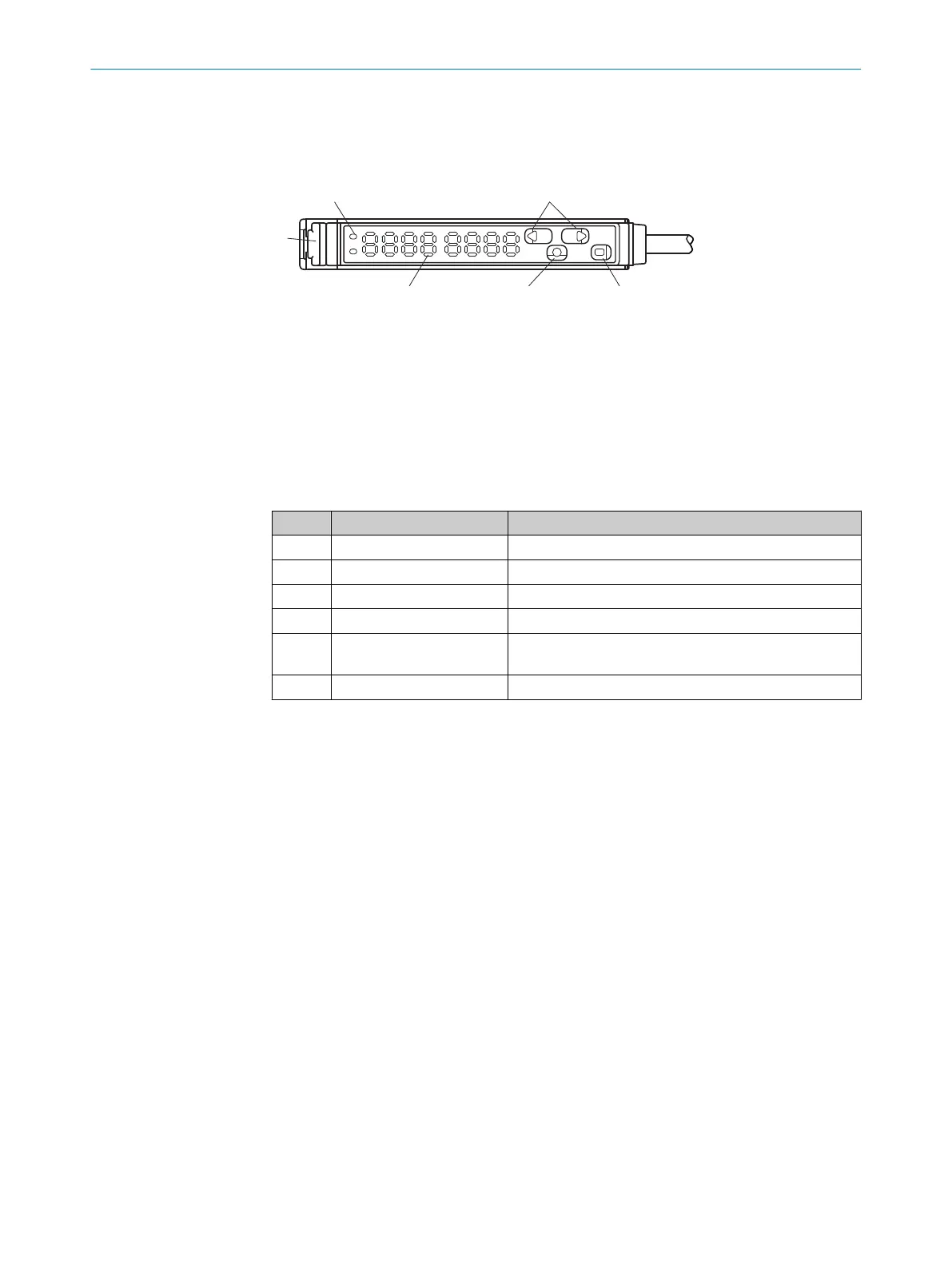
Figure 9: Display and operating elements - version with two switching outputs
1
Output displays Q
1
, Q
2
depending on variant (orange)
2
Selection pushbutton (plus and minus button)
3
Fiber interlocking
4
Display
5
Mode pushbutton
6
Teach-in button
Table 4: Operating elements legend
No. Description Function
1 OUT Illuminates when there is a switching event.
2 +/- Scrolls through menu items or changes values.
3 Fiber interlocking -
4 Display Shows menu item or values.
5 MODE Opens the menu, confirms entries, or switches to lower-
level menus.
6 TEACH Teach-in menu selection or change to higher menu.
7 OPERATION
20
O P E R A T I N G I N S T R U C T I O N S | KTL180 8023304.11XV/2018-11-29 | SICK
Subject to change without notice












 To Next Page