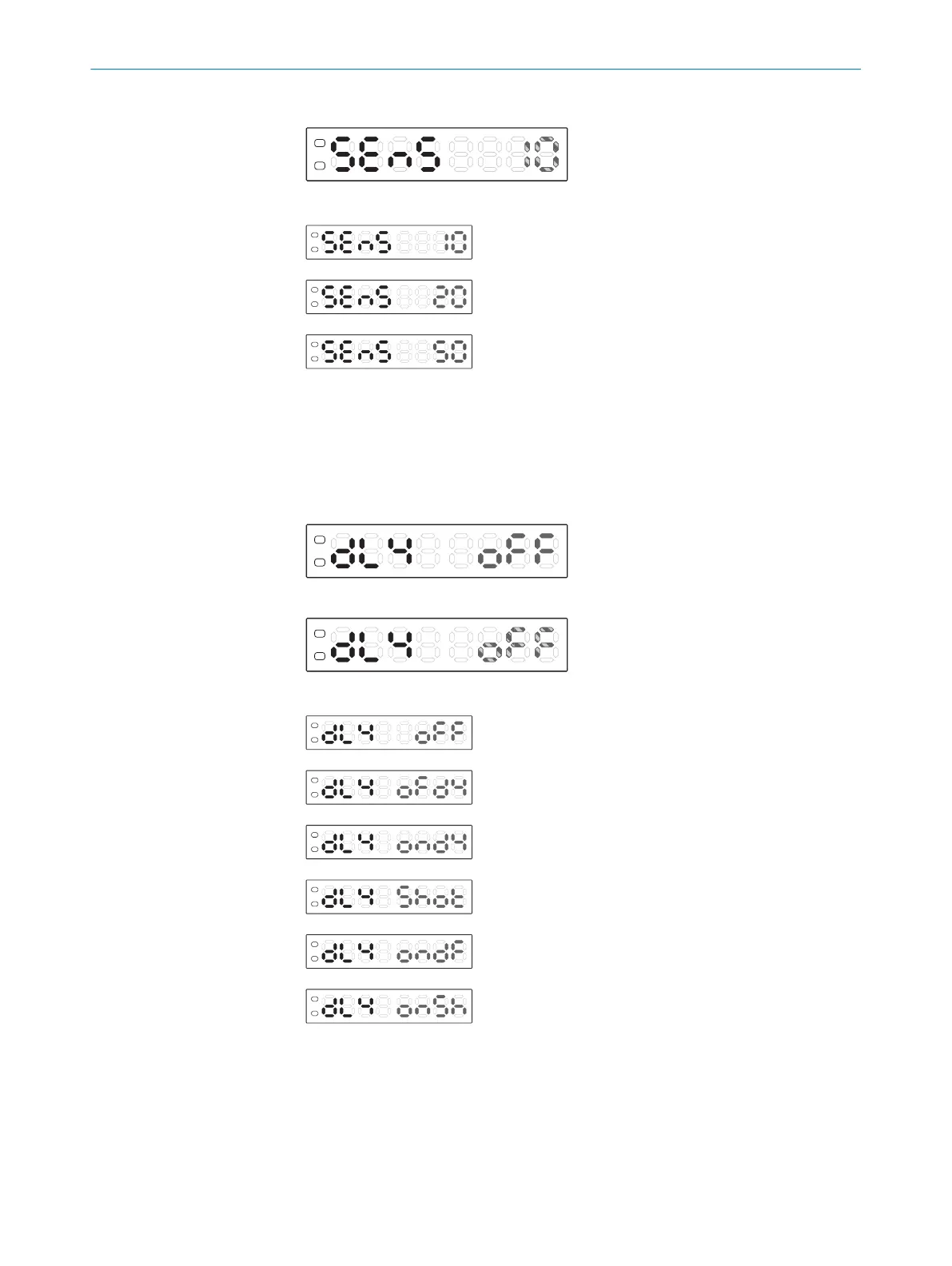
3. Press the Mode button. The preset value flashes.
4. Use the plus or minus button to define the required setting.
10% (factory setting)
20%
50%
5. Press the Mode button.
7.5.5 Adjusting time level
1. Press and hold the Mode button for 2 seconds. The Configuration operating mode
is active.
2. Use the plus or minus button to select dLY.
3. Press the Mode button. The preset value flashes.
4. Use the plus or minus button to select the required setting.
Deactivated (factory setting)
OFF delay
ON delay
One-shot
ON-OFF delay
On-shot
5. Press the Mode button.
6. Use the plus or minus button to set the time value if the time delay is activated.
7. Press the Mode button.
OPERATION
7
8023304.11XV/2018-11-29 | SICK O P E R A T I N G I N S T R U C T I O N S | KTL180
27
Subject to change without notice












 To Next Page