•
1-point teach-in/color mode
•
2-point teach-in
•
Dynamic teach-in
NOTE
In the teach-in operating mode, the live measured value can be displayed at any time by
pressing the Mode pushbutton.
NOTE
When the receiver amplification is set to Auto (factory setting), the amplifier setting of
the device is selected when Teach mode is activated.
The fibers and the object to be taught must be positioned before activating the Teach
mode.
7.5.1.1 1-point teach-in
When using a 1-point teach-in, the sensor switches by the taught-in contrast value in a
tolerance band. The tolerance band can be adjusted, see "Adjusting the switching sensi‐
tivity", page 26.
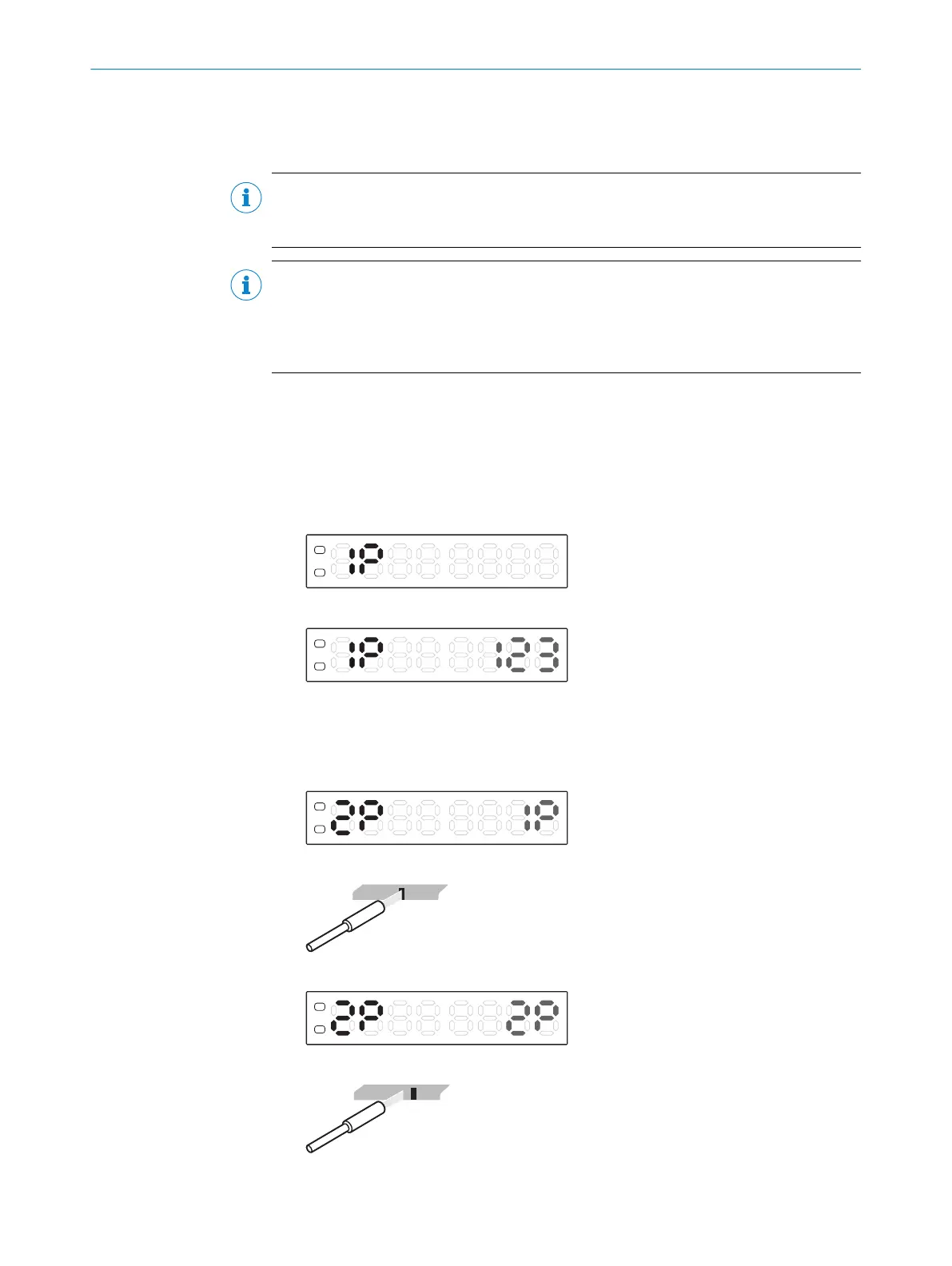
1. Press and hold Teach-in button for 2 s. The Teach-in operating mode is active.
2. Use the plus or minus button to select 1P.
3. Press the teach-in pushbutton. The switching threshold value appears.
7.5.1.2 2-point teach-in
1. Press and hold Teach-in button for 2 s. The Teach-in operating mode is active.
2. Use the plus or minus button to select 2P.
3. Position the mark under the light spot.
4. Press the teach-in button.
5. Position the background under the light spot.
7 OPERATION
24
O P E R A T I N G I N S T R U C T I O N S | KTL180 8023304.11XV/2018-11-29 | SICK
Subject to change without notice












 To Next Page