"Ethernet"
(Host 2)
Input 2 ß
Input 1 à
Output 1 9
Output 2 8
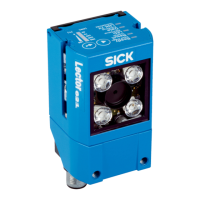
Lector621
Connection module 2
SerialSerial
Image display
SOPASSOPAS
"Power/Serial Data/
CAN/I/O"
(Aux 1, Host 1)
...
...
1
2
V
S
1
GND
HOST
PC
Further data
processing
"Ethernet" (Aux 2,
image transfer) 3
V
S
EthernetEthernet
USBUSB
Cable 7
4
6
Reading result 5
Figure 21: Lector621 read mode: connection block diagram
1
Supply voltage V
S
(V
S
= U
V
)
2
Connection module CDB650-204 or CDM420-0006
3
Ethernet, Aux interface (image transmission)
4
Image display
5
Read result
6
Data further processing
7
For CDB650-204: Connection cable 1:1 (female connector, M12, 17-pin, A-coded/male
connector, M12, 17-pin, A-coded)
For CDM420-0006: Adapter cable (female connector, M12, 17-pin, A-coded/male con‐
nector, DSub-HD, 15-pin)
8
Digital output 2, e.g. for connecting an LED
9
Digital output 1, e.g. for connecting an LED
ß
Digital input 2, e.g., for connecting an incremental encoder
à
Digital input 1, e.g., for connecting a read cycle trigger sensor
Lector621 ECO
Lector621 ECO
Connection module 2
SerialSerial
Configuration
Image display
Diagnostics
SOPASSOPAS
"Power/Serial Data/CAN/I/O"
(Aux 1, Host)
...
...
1
2
V
S
1
GND
PC
"Serial RS-232" (Aux 1) 4
"USB" (Aux 2,
for temporary use only) 5
USBUSB
V
S
Cable 6
Cable 3
7
Figure 22: Lector621 ECO read mode: connection block diagram
1
Supply voltage V
S
(V
S
= U
V
)
2
Connection module CDB620 or CDM420
3
Null modem cable (female connector, D-Sub, 9-pin/female connector, D-Sub, 9-pin),
crossed TxD and RxD
4
Serial RS-232, alternative to USB, but no image transmission
5
USB, alternative to Serial RS-232. USB only for temporary use as a service interface.
ELECTRICAL INSTALLATION 6
8022502/15NT/2020-02-11 | SICK O P E R A T I N G I N S T R U C T I O N S | Lector621
39
Subject to change without notice






 To Next Page