4.2 Mpx image sensor 1 2.1 Mpx image sensor 2 1.7 Mpx image sensor 3
FOV 4
FOV 4
FOV 4
Figure 8: Resolution-dependent field of view geometries
1
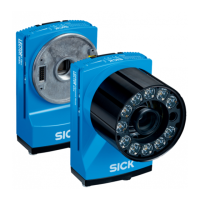
Lector654 with image sensor 4.2 Mpx
2
Lector652 with image sensor 2.1 Mpx
3
Lector642 with image sensor 1.7 Mpx
4
Field of view
4. Connect the device to interfaces and supply voltage when disconnected from
voltage, see "Connecting the device", page 38.
✓
The Ready status LED lights up green.
5. Perform fine adjustment.
5 MOUNTING
32
O P E R A T I N G I N S T R U C T I O N S | Lector64x/65x Flex, Lector65x Dynamic Focus 8016185/19E9/2020-10-21 | SICK
Subject to change without notice










 To Next Page