Preventive Maintenance
18 MCS100E HW Maintenance Manual 8009624/2009-09 (V1.4) ©SICKMAIHAKGmbH
3.7
Check the flow meter
Check the zero point
1 View the "bar graph" display (F2 key).
2 Switch the FID (Option) off (mains switch at the rear of the operating unit).
MCS100E HW switches automatically to stand-by.
3 Wait until all measured values are shown as "0“.
4 Close the zero gas supply for MCS100E HW and FID (Oprion) at the compressed air sta-
tion.
5 In the "flow" bar graph diagram, the flow meter must indicate a value slightly higher
than "0" (0 .. 5 l/h).
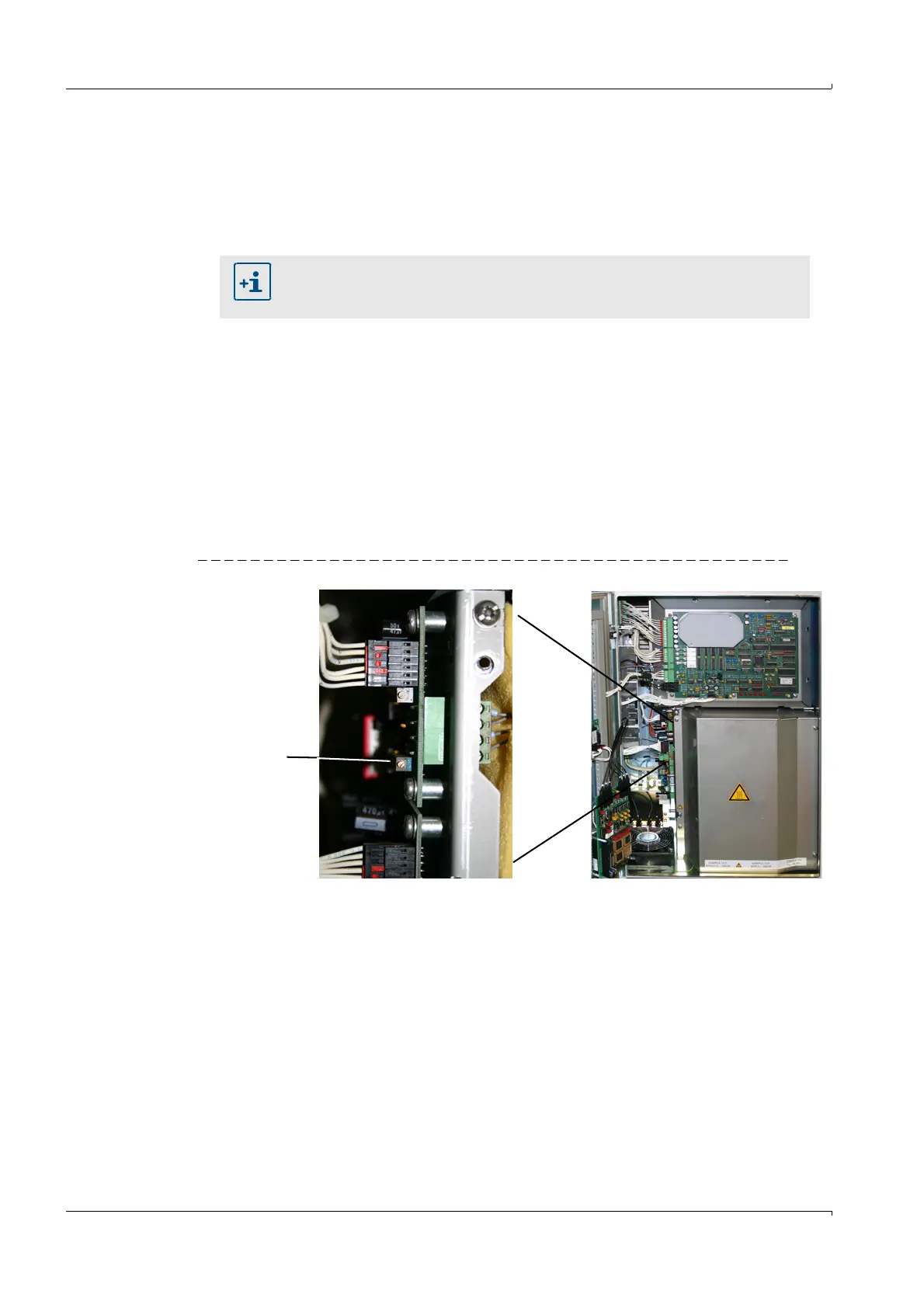
Caution: The indicator reaction is very slow. Turn the potentiometer slowly.
– If exactly "0" is shown (then negative values can also be set), turn the potentiometer
slowly counterclockwise (higher values) until a higher value than zero is set and
then turn slowly clockwise until "0" is displayed.
– If a higher value than 5 l/h is displayed, turn the potentiometer slowly clockwise
(lower values) until "0" is displayed.
Fig. 9 Potentiometer of LPM43
6 Open the zero gas supply.
7 If necessary, reconnect the FID (
→
P. 39, § 3.10)
8 Optional: Switch the FID on.
Wait until FID switches to operation mode. (The green LED lights).
9 Switch the MCS100E HW to measuring mode.
– Optional: Press the F4 function key and acknowledge the FID error message.
–Press the F3 function key.
– Select "System Start" (confirm safety prompt with "Yes").
– Exit the menu with "ESC".
If you also want to perform a leakage test: Disconnect the FID from the gas
path (
→
P. 39, § 3.10), you then do not have to switch the FID off and you avoid
the MCS100E HW switching to "Störung/Error".
Lower potentiometer
¯higher values
¬ lower values















 To Next Page