MCS100E HW Maintenance Manual 8009624/2009-09 (V1.4) ©SICKMAIHAKGmbH 15
Preventive Maintenance
3.4.2 Air station 5309389
These instructions are applicable for the compressed air station order number 5309389.
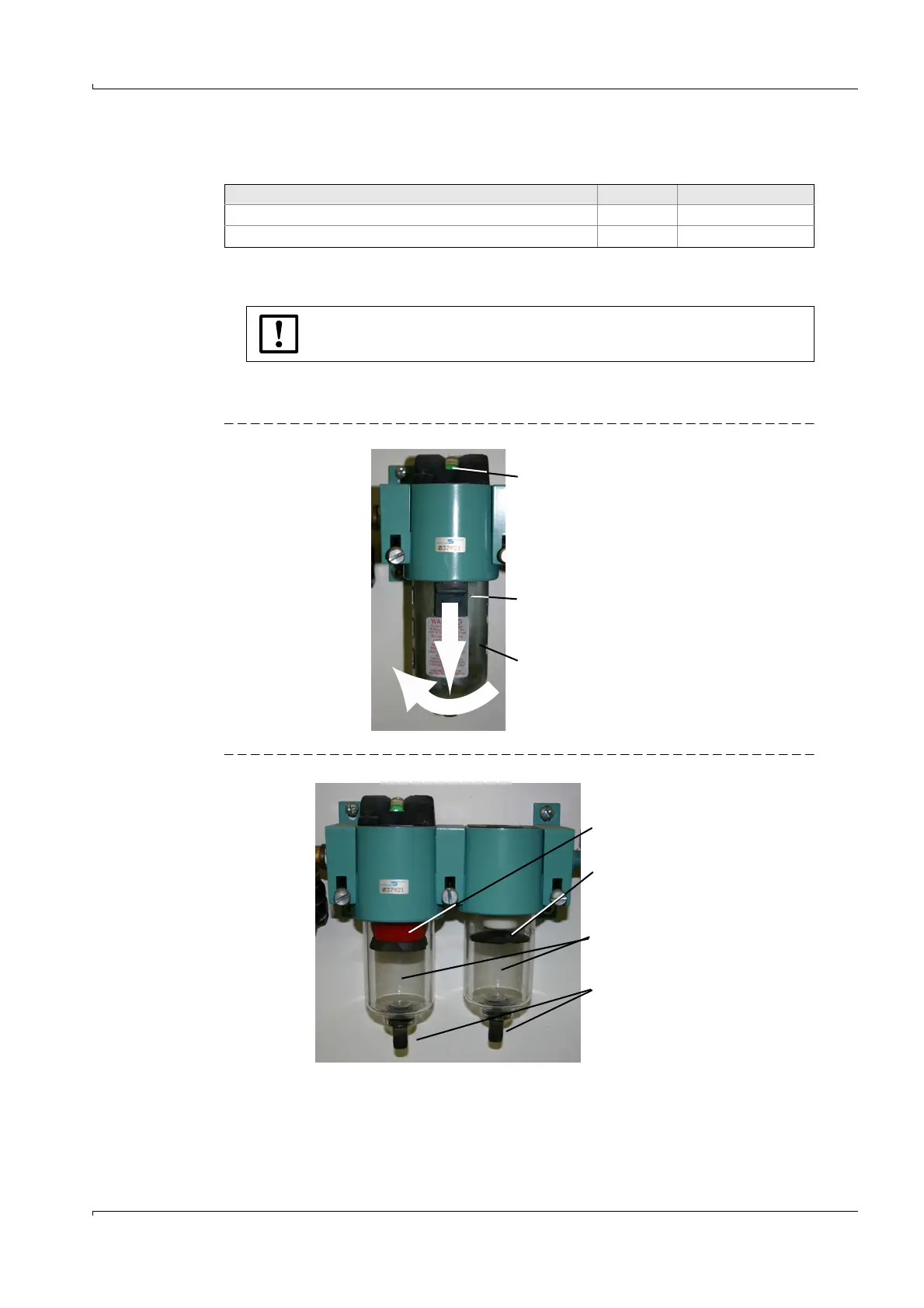
1 Shut off the compressed air supply.
2 Push the slide downwards.
Turn the protective cap to the left and pull it off.
Fig. 4 Compressed air station (closed)
Fig. 5 Compressed air station (open)
3 Drain liquid (oil or water) from both filter pots.
To do this, pull drain slightly to the front.
Check the drain for continuity and clean, if required.
4 When the filter pots are soiled:
Spare parts required Number Order No.
Filter (white)
1
1
As required
1 5309674
Filter (red)
1
1 5309675
High pressure.
b
Make sure that the compressed air supply is shut off.
Status indicator
Slide
Protective cap
Filter pot
Drain
Filter (red)
Filter (white)















 To Next Page