MCS100E HW Maintenance Manual 8009624/2009-09 (V1.4) ©SICKMAIHAKGmbH 17
Preventive Maintenance
3.5
Check/replace the filter pad in the fan of the MCS100E HW
The fan is located in the door of the MCS100E HW.
It is not necessary to switch the MCS100E HW off to replace the filter pad.
1 Pull the cover off.
2 Remove the filter pad.
3 Clean the filter pad or insert a new filter pad.
4 Press the cover on.
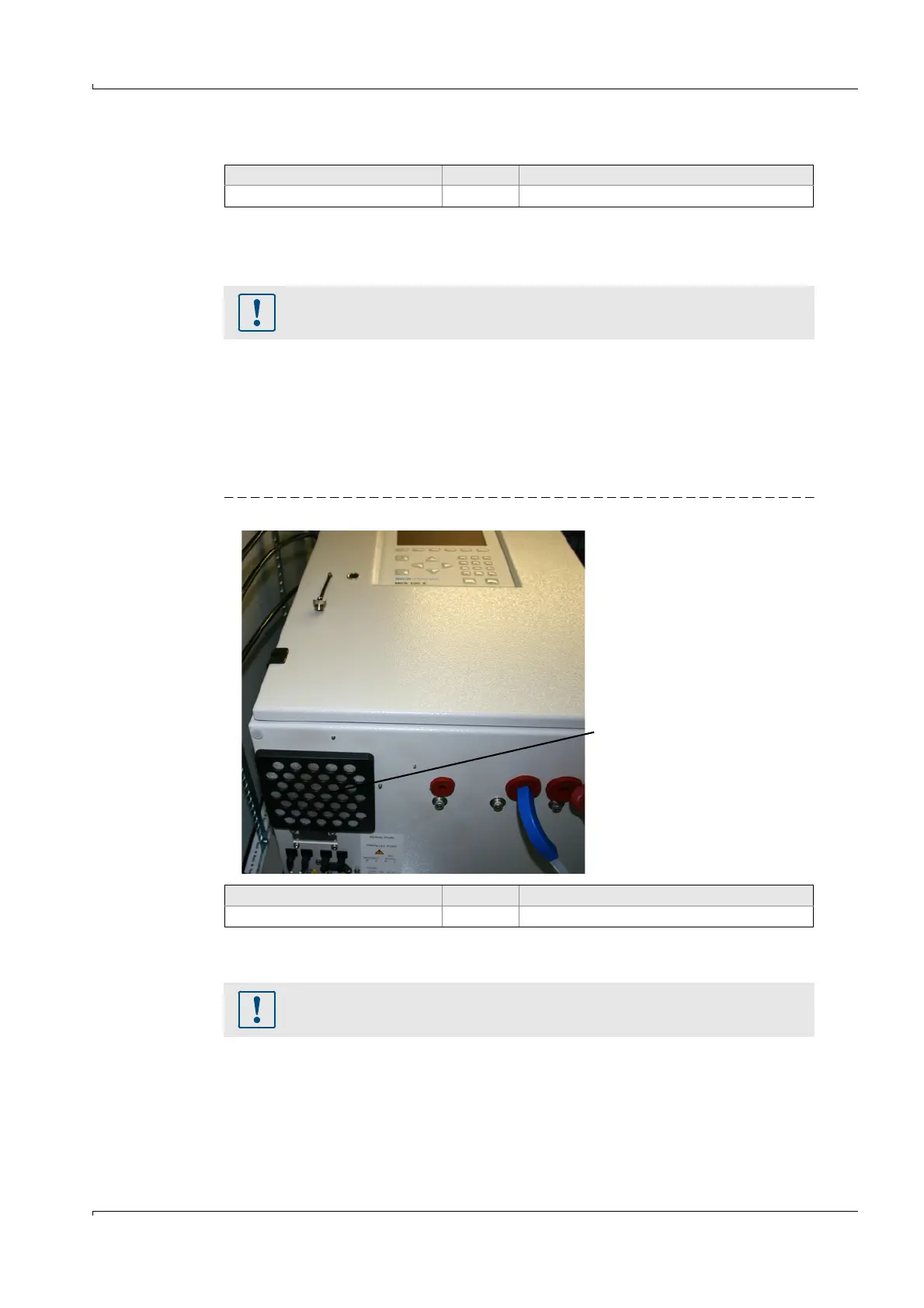
3.6 Check/replace the filter pad in the fan of the analyzer
Fig. 8 Filter pad on the analyzer
It is not necessary to switch the MCS100E off to replace the filter pad.
1 Pull the cover off.
2 Remove the filter pad.
3 Clean the filter pad or insert a new filter pad.
4 Press the cover on.
Spare parts required Number Order No.
Filter pad MCS100E HW
1
1
As required
1 5309684
Risk of soiling.
b
Operate the MCS100E HW without filter pad only for a short period.
Spare parts required Number Order No.
Filter pad for analyzer
1
1
As required
1 5309683
Fan with filter pad
Risk of soiling.
b
Operate the MCS100E without filter pad only for a short period.















 To Next Page