Preventive Maintenance
30 MCS100E HW Maintenance Manual 8009624/2009-09 (V1.4) ©SICKMAIHAKGmbH
3.9.2 27 and 10 l/min. pump
The maintenance on the 10 l/min. pump is accordingly to the description below.
Preparation work
1 Switch the MCS100E HW to "Stand-by". To do this:
–Press the F3 function key.
– Select "System Stop" (confirm safety prompt with "Yes").
2. In the MCS100E HW, switch off the fuses of the pump motor and pump heating.
3. Allow the sample gas pump to cool down to hand-hot temperature.
4. Unscrew the gas connections with short gas lines (which hinder the removal of the
pump head).
Disassembly
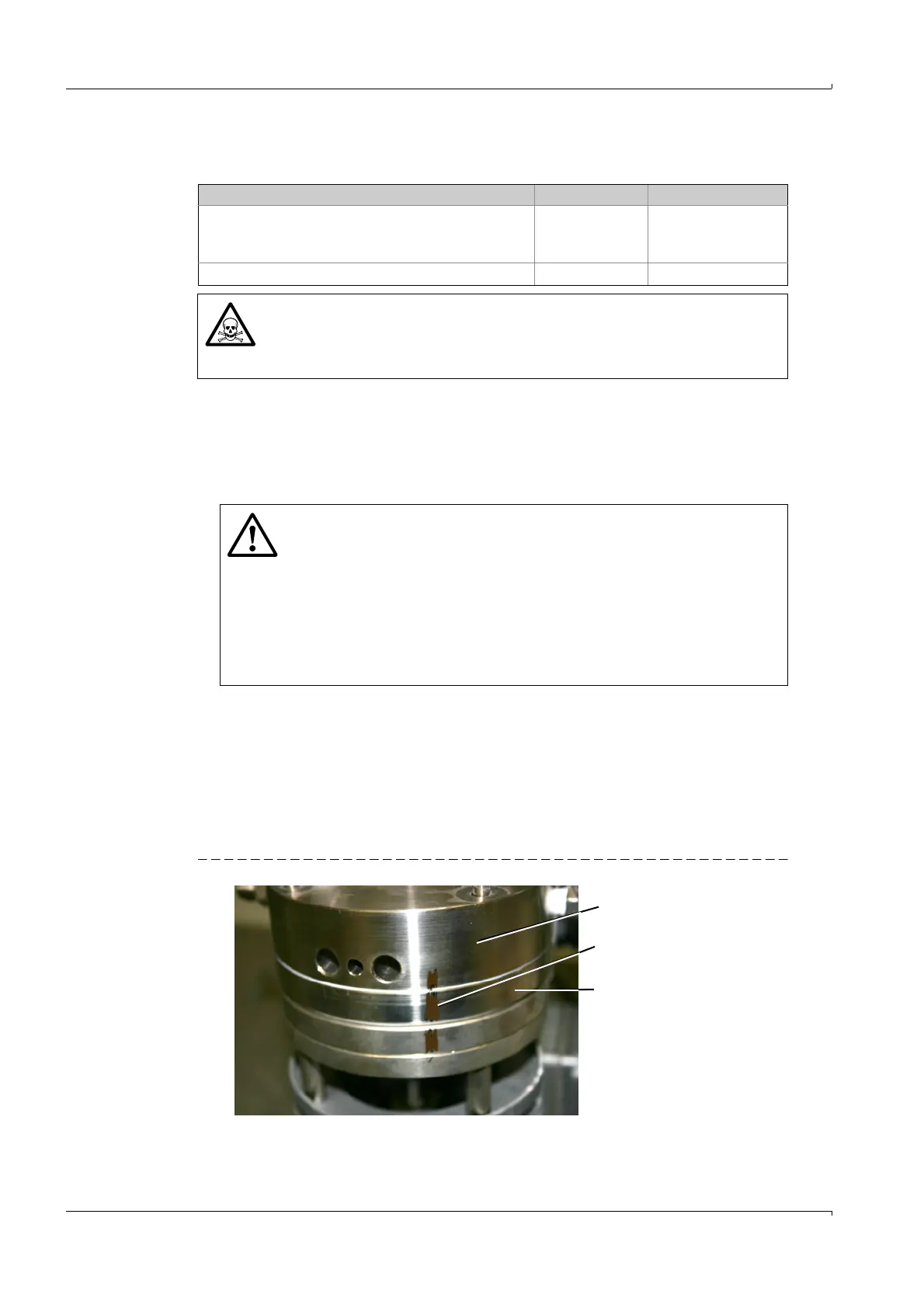
1 Mark the position of the intermediate plate and the pump head with a line (the marking
line identifies the unique position of the plates and is helpful for assembly during the
installation).
Fig. 31 Position of intermediate plate and pump head
Spare parts required Order No. Quantity required
Wearing parts set for 27 l/min. pump
(Contains: 1*O-ring, 3*pump membranes, 1*special
screw, 1*valve plate)
2038993 1
Wearing parts set for 10 l/min. pump 2024952 1
WARNING: Toxic and caustic substances
Depending on the sample gas composition, toxic or caustic substances could
be contained in the parts that come into contact with the substances.
b
Procedure
→
P. 6, § 1.2
WARNING: Hazard with wrong fuses
If you switch the wrong fuse off, mains voltage is applied to the pump on
which you are working. The pump can start.
b
In case of doubt, switch the complete MCS100E HW off using the main
switch (on the outside of the door).
WARNING: Electrical hazard
Even when the main switch is off, mains voltage is still applied to some sub-
assemblies of the MCS100E HW
b
Only touch specified components.
Pump head
Line markings
Intermediate plate















 To Next Page