Chapter 4 Operating Instructions
V200/V300
26 © SICK AG • Industrial Safety Systems • Germany • All rights reserved 8012227/YT87/2016-03-29
Subject to change without notice
Mounting
4.4 Steps for mounting the safety camera system
Special features to note during mounting:
⋅ Avoid unmonitored areas as described in the previous section.
⋅ Always mount the camera on a flat surface.
⋅ Always mount the camera on a metal surface and ensure good mechanical contact. In
this way you will ensure adequate heat dissipation from the device.
⋅ During mounting, ensure that camera and reflective tape are aligned correctly. The
V200/V300 accepts a defined lateral tolerance (see section 4.4.3 “Mounting the
reflective tape” on page 29).
⋅ Take suitable measures to attenuate vibration if the shock requirements are above the
values given in section 11.1 “Data sheet” on page 52.
⋅ Observe the minimum distance of the system during mounting. On this subject read
section 4.2 “Determining the minimum distance” on page 20.
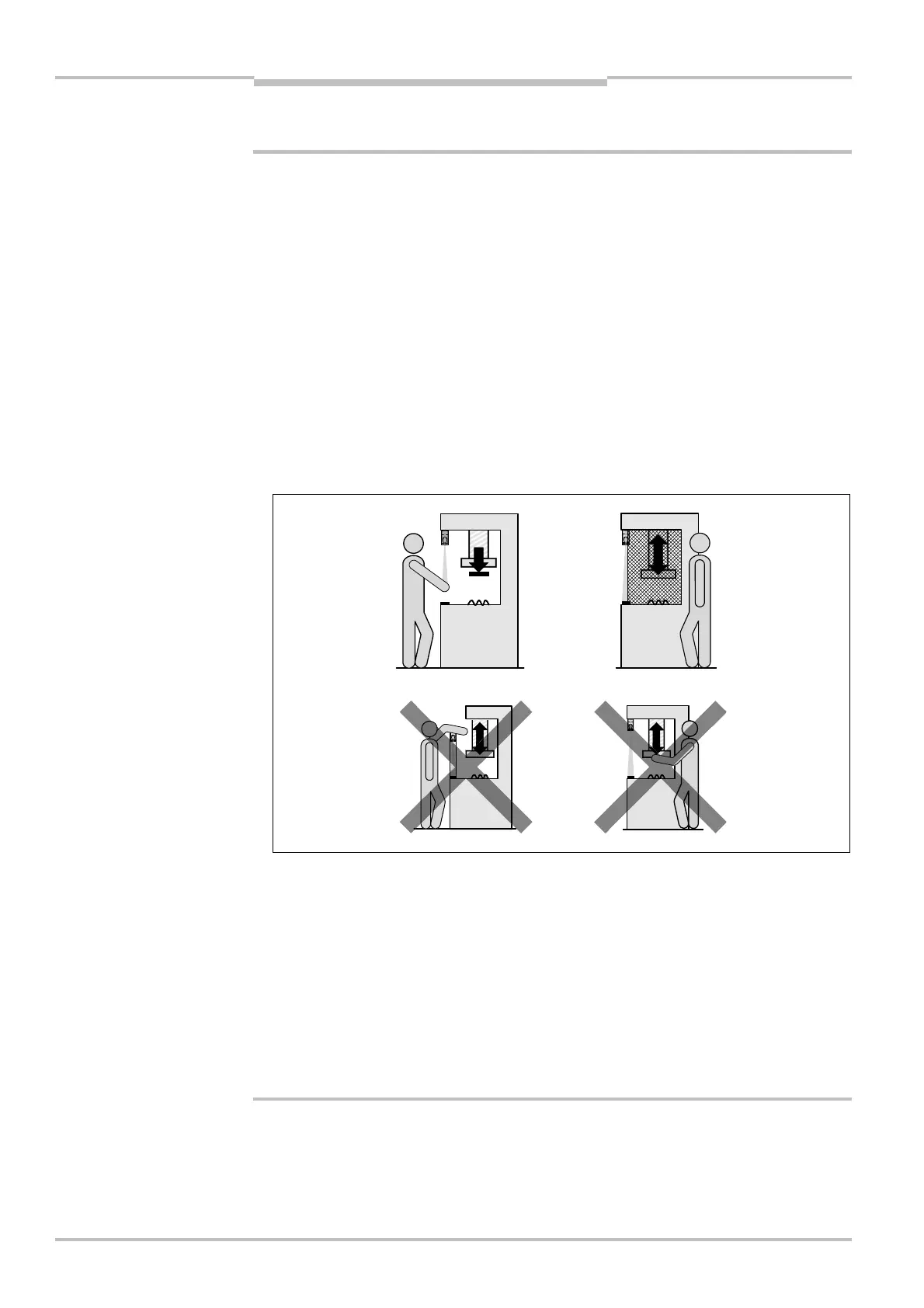
⋅ Mount the safety camera system such that it is not possible reaching under, reaching
over or standing behind the camera and that the camera cannot be repositioned.
⋅ Secure the two fixing screws against unintentional loosening.
⋅ Once the system is mounted, one or several of the enclosed self-adhesive safety
information labels must be affixed:
– Use only information labels in the language which the operators of the machine
understand.
– Affix the information labels such that they are easily visible by the operators during
operation. After attaching additional objects and equipment, the information labels
must not be concealed from view.
– Affix the information label “Important Information” to the system in close proximity to
the safety camera system.
a
WARNING
installation (above) must
eliminate the errors (below)
reaching over, reaching
under and standing behind.



 To Next Page