Operating Instructions Chapter 6
V200/V300
8012227/YT87/2016-03-29 © SICK AG • Industrial Safety Systems • Germany • All rights reserved 39
Subject to change without notice
Application examples
6.2 Application with two V200/V300
If the application requires a larger protective field width that can be covered with one
V200/V300, or the hazardous point is to be protected in an ergonomic manner, you can
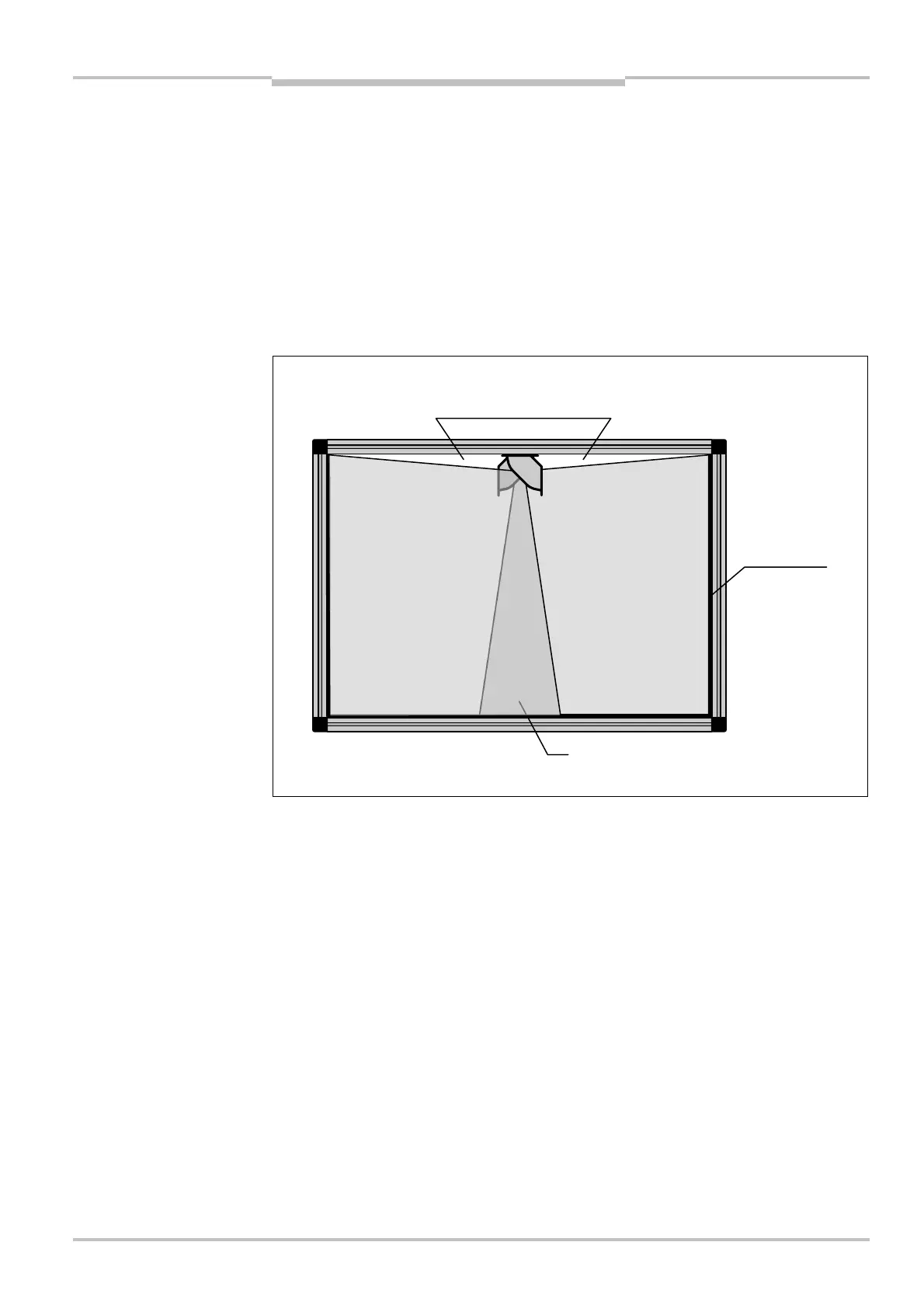
mount two V200/V300 in parallel in opposite directions (see Fig. 27) or at the corners (see
Fig. 28). In this way you can realise two overlapping protective fields.
⋅ Mount the devices overlapping as shown in the figure (i.e. not back to back). Otherwise
un-monitored areas may be produced.
⋅ Ensure the housing markings on the two cameras are aligned.
⋅ You must synchronise the two V200/V300 with each other so that they do not interfere
with each other (see section 5.4 on page 35).
Notes
large protective field
(2 × V200/V300)
a
areas!
reflective tape
Area where both protective fields overlap



 To Next Page