The SICK product ID is displayed as text and QR code on the type label and/or on the
packaging.
Figure 1: SICK product ID
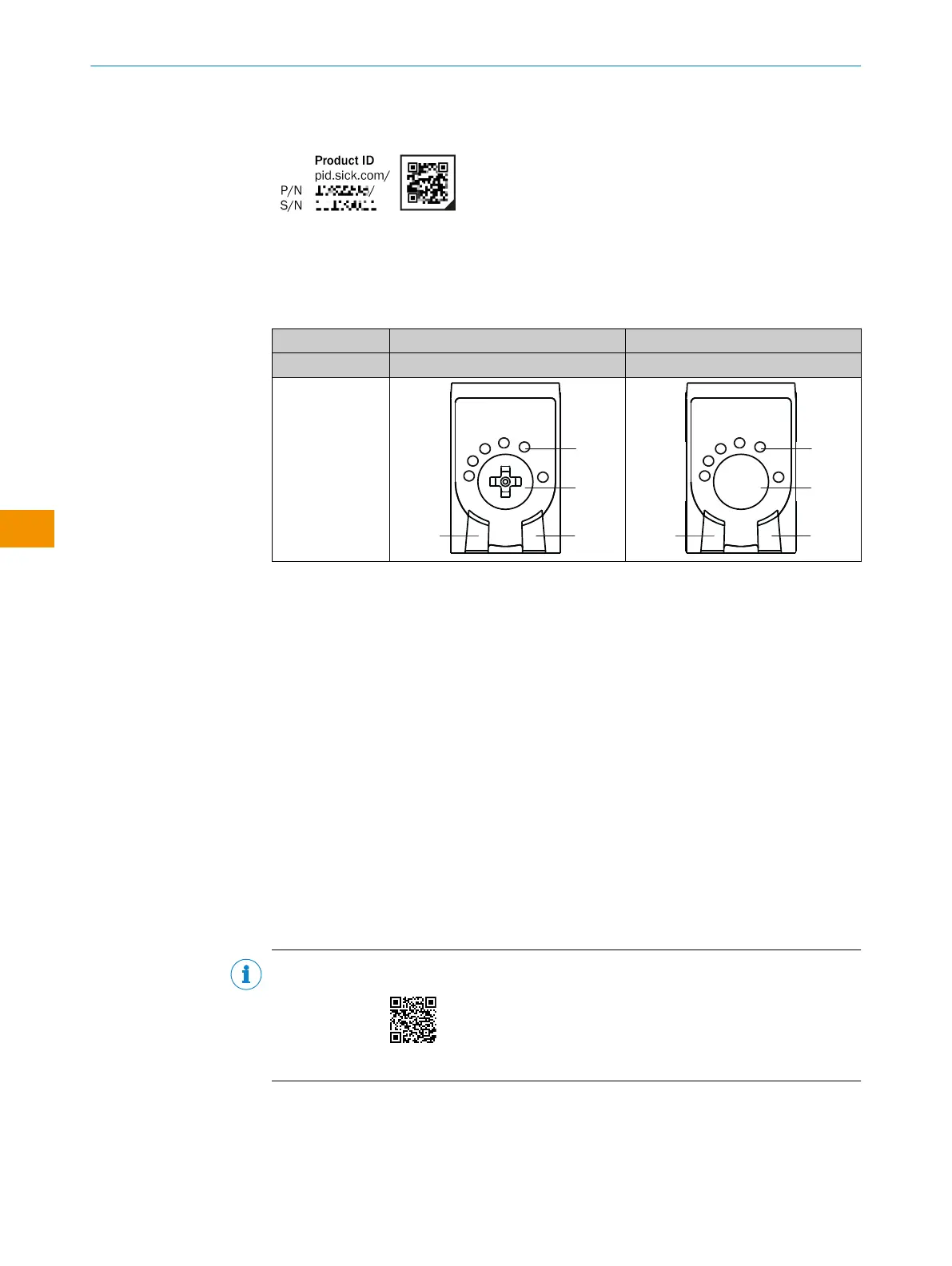
3.2 Control and display elements
Table 1: Control and display elements
WLG4SP- xxxxxx20A00 xxxxxx30A00
Press-turn element Teach-in button
1
Green LED: supply voltage active
2
Yellow LED: status of received light beam
3
Press-turn element: adjustment of mode and sensitivity / Teach-Button: adjusting the
sensitivity
4
BluePilot blue: mode selection
3.3 MultiMode function
The sensor with MultiMode function has various operating modes that can be set via the
Teach-Turn adjustment and IO-Link:
1 Highly-transparent objects
2 Semi-transparent objects
3 Opaque objects
4 Bottles/trays
5 Film tear monitoring
6 Manual (specific setting via IO-Link)
The different operating modes are used to optimally configure the sensor for different
objects and tasks.
NOTE
Setting the operating modes and the associated teach-in procedures is shown in the
following tutorial:
https://video.sick.com/media/t/0_cxzr6xi1
3.4 IO-Link communication interface
The product comes with the IO-Link communication interface.
IO-Link communication is a master-device communication system.
OPERATING INSTRUCTIONS
32
O P E R A T I N G I N S T R U C T I O N S | WLG4S 80282151N09/2024-03-12 | SICK
Subject to change without notice
en











 To Next Page