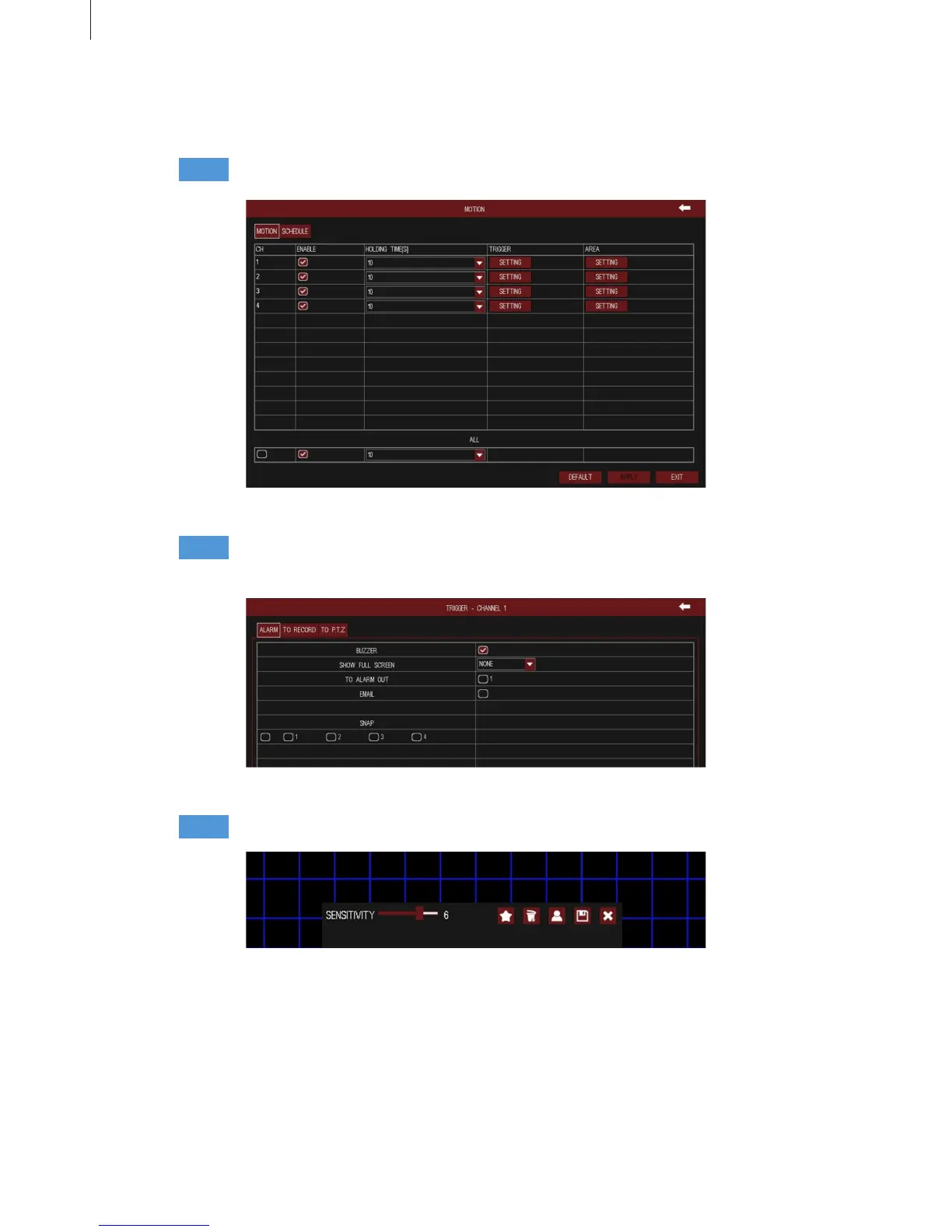
Fig 3-51
Fig 3-52
Fig 3-53
44
(2) Motion
1) Motion
Menu Setup Guide
Step1
Step3
Step2
Enable motion detection alarm; select the alarm holding time. As shown in Fig 3-51.
Click “Setting” button of motion area to pop up a window, as shown in Fig 3-53:
Click “Setting” button of motion trigger to pop up a window, as shown in Fig 3-52. The
setup steps of motion trigger are familiar with sensor alarm handling.
2) Schedule
The detecting schedule of motion detection is shown in Fig 3-54. The setup steps of detecting
schedule are familiar with schedule.



 To Next Page