Home Screen
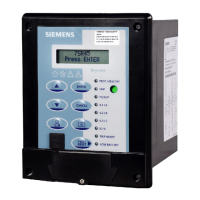
Once the 7SR45 Argus relay is powered on, the home screen is displayed. You can access or navigate to other
menus from the home screen.
The following operations can be performed from the home screen:
Table 4-1 Home Screen
Keys Description
ENTER Press ENTER to navigate to SETTING MODE from the home screen
To edit and save the settings
▲ Press ▲ to navigate to MAINTENANCE tab from the SETTING MODE
To increment the settings
▼ Press ▼ to navigate back to SETTING MODE from the MAINTENANCE tab
To decrement the settings
CANCEL Press CANCEL to navigate back to the home screen.
TEST/RESET▶ Press TEST/RESET▶ to reset the local flag and the LEDs
To navigate to the INSTRUMENT MODE and FAULT DATA MODE from the
SETTING MODE
CANCEL+TEST/RESET ▶ Press CANCEL and TEST/RESET▶ simultaneously to navigate to SOFTWARE
VERSION
4.2
Using the Relay Fascia
4.2 Home Screen
Reyrolle, Operating, Manual 47
C53000-B7040-C101-1, Edition 08.2020





 To Next Page