Change Device Settings
Date and Time Synchronization
The integrated date and time synchronization of your 7SR45 device allows you to assign the precise time of
events to an internally maintained device time. Events in the logs are stamped with the device time. You can
also take local time zones and daylight-saving time arrangements into consideration.
Setting Time and Date
You can set the date and time of your 7SR45 device using the relay fascia as well as Reydisp Evolution.
Settings on the Device Using the On-Site Operation Panel
To reach the settings for date and time from the main menu, use the navigation keys on the on-site operation
panel.
SETTING MODE > SYSTEM CONFIG > Date
SETTING MODE > SYSTEM CONFIG > Time
Setting Time Keeping Parameters
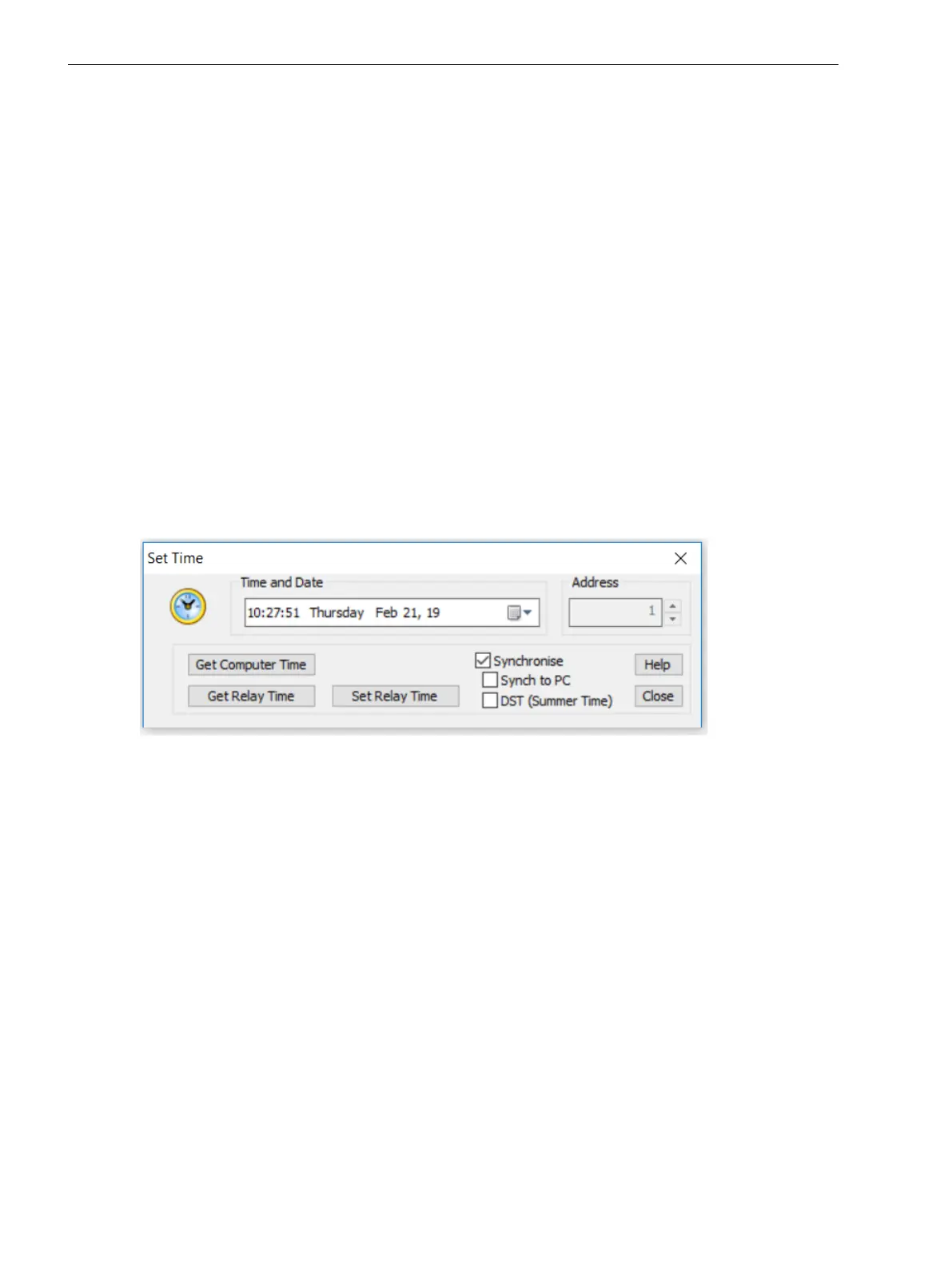
Input the time keeping settings of your 7SR45 device using Reydisp Evolution. You have access here to all
possible settings. You can only access some of the settings using the on-site operation panel while the device
is being operated. You may chose to synchronize the device time with the PC time via Reydisp Evolution.
[sc_set_time, 1, --_--]
Figure 6-4 Set Time
In Reydisp Evolution, select Relay > Control > Set Time and Date
6.9
In Service Operation
6.9 Change Device Settings
80 Reyrolle, Operating, Manual
C53000-B7040-C101-1, Edition 08.2020





 To Next Page