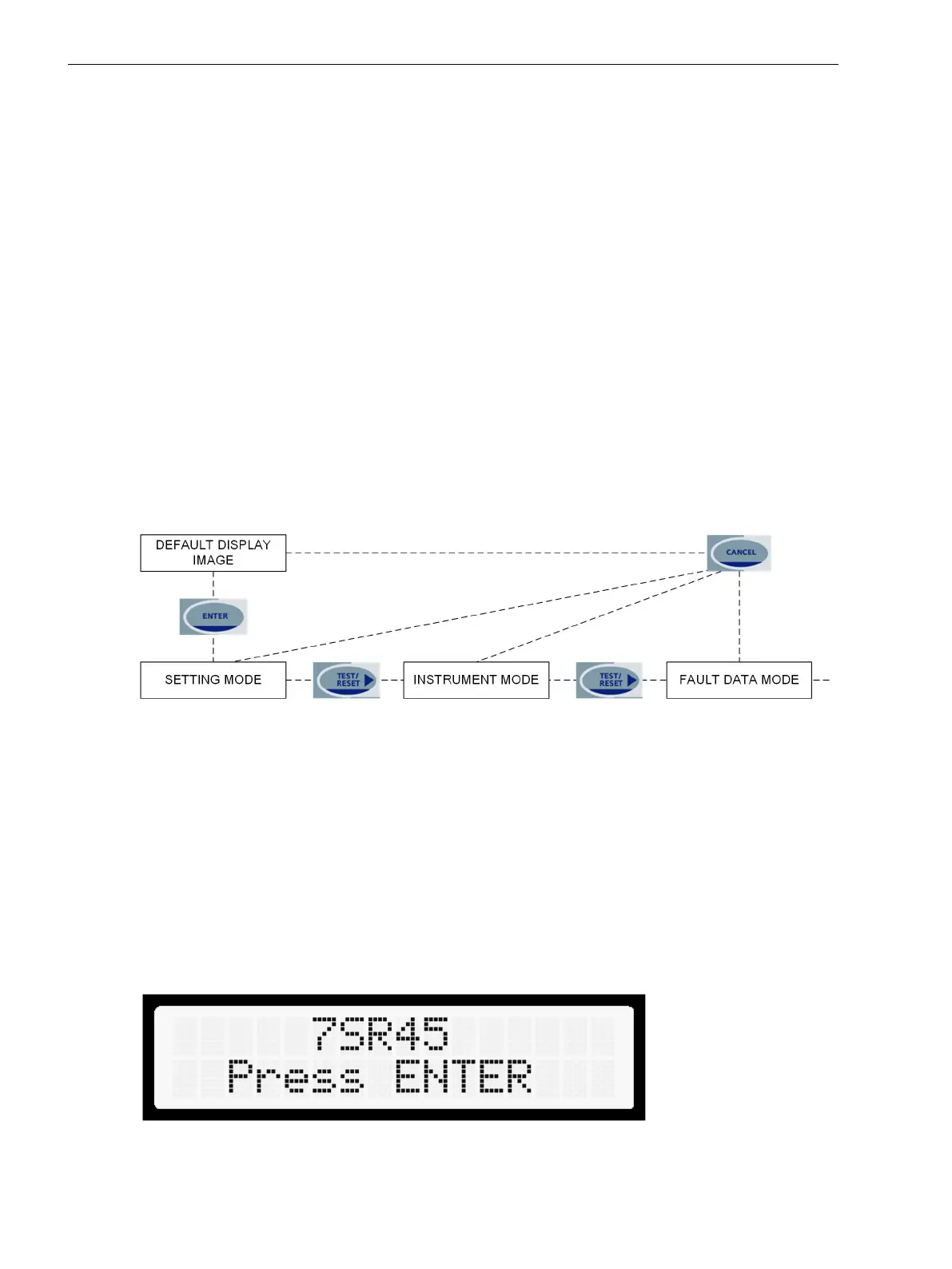
Structure of the Menu
Relay Menu
Setting Mode
This mode allows you to view and change settings in the relay.
Instrument Mode
This mode allows you to view the following conditions of the relay:
•
Current
•
Input/output (I/O) status
•
Miscellaneous status
Fault Data Mode
This mode allows you to view fault records.
The relay menus can only be viewed, once the password is entered. Further actions are permitted when the
correct password is entered.
[dw_relay_menus, 1, en_US]
Figure 4-2 Relay Menu
User Interface Operation
Figure 4-2 shows the basic menu structure diagram and the main modes are:
•
SETTING MODE
•
INSTRUMENT MODE
•
FAULT DATA MODE
When the relay is shipped from the factory all the stored data is cleared and the confirmation ID is set to
NONE.
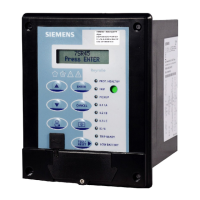
When the relay is energized for the first time, the following message is displayed:
[sc_lcd_display, 1, en_US]
Figure 4-3 Relay Identifier Screen
4.5
4.5.1
4.5.2
Using the Relay Fascia
4.5 Structure of the Menu
52 Reyrolle, Operating, Manual
C53000-B7040-C101-1, Edition 08.2020





 To Next Page