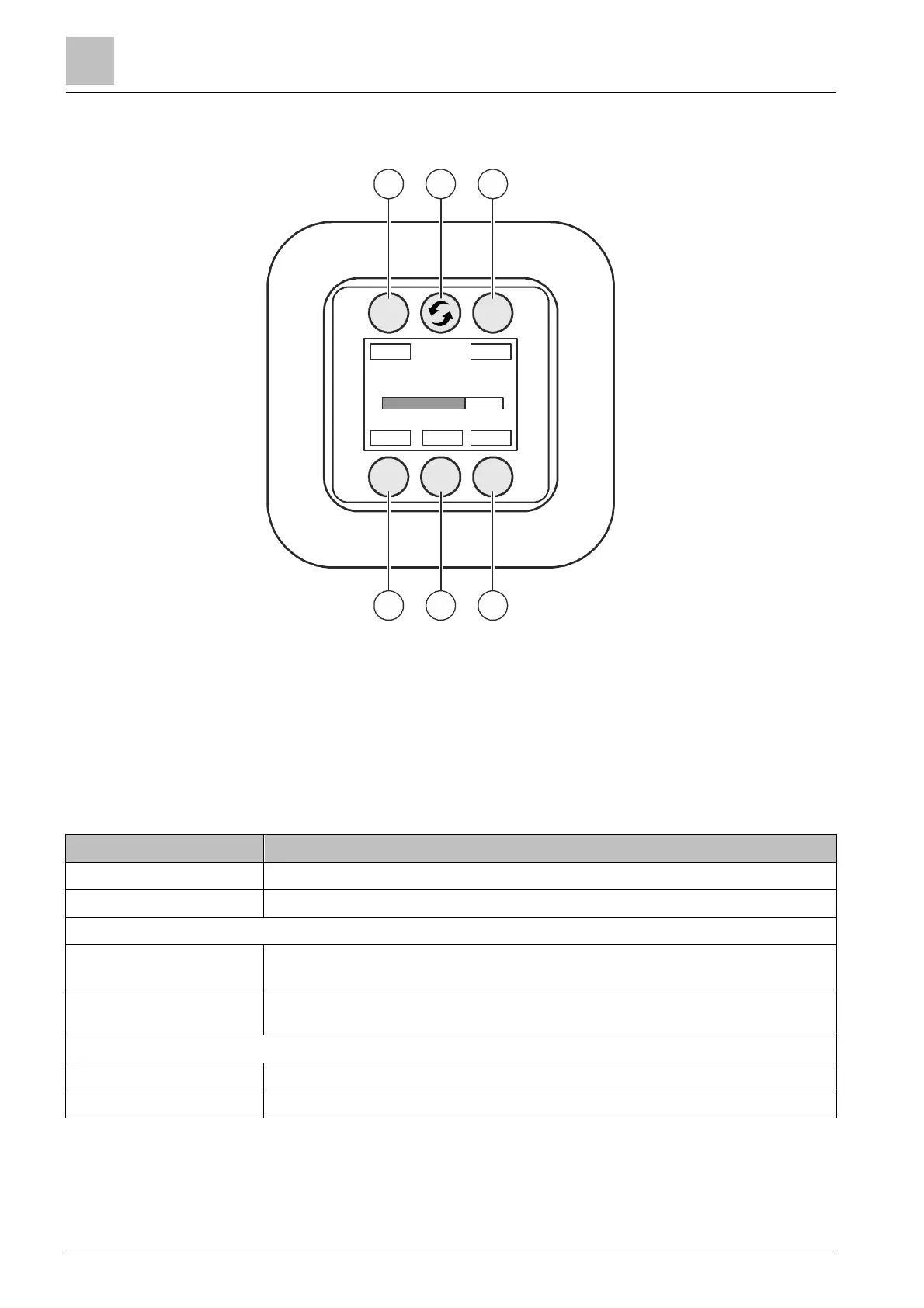
Remote control panel PT2006
Operating functions PT2006-A1
16
50 | 57 A6V10430571_en--_c
16 Remote control panel PT2006-A1
1
<Next channel in descending
order>
4 <Increase sound level>
2 <Switch the output> 5 <Mute>
3
<Next channel in ascending
order>
6 <Reduce sound level>
16.1 Operating functions PT2006-A1
Function Button
Switch the output Press the top middle button
Mute / Unmute Press the bottom middle button / Press the button again
Switching channel
Next channel in
descending order
Press the top left button
Next channel in ascending
order
Press the top right button
Controlling the sound level
Increase sound level Press the bottom right button
Reduce sound level Press the bottom left button
CH-
2
5
6
1
RC












 To Next Page