Mounting and Connection
4.2 Connecting the terminal box
Mobile Panel 177 (WinCC flexible)
4-6 Operating Instructions (Compact), Edition 07/2005
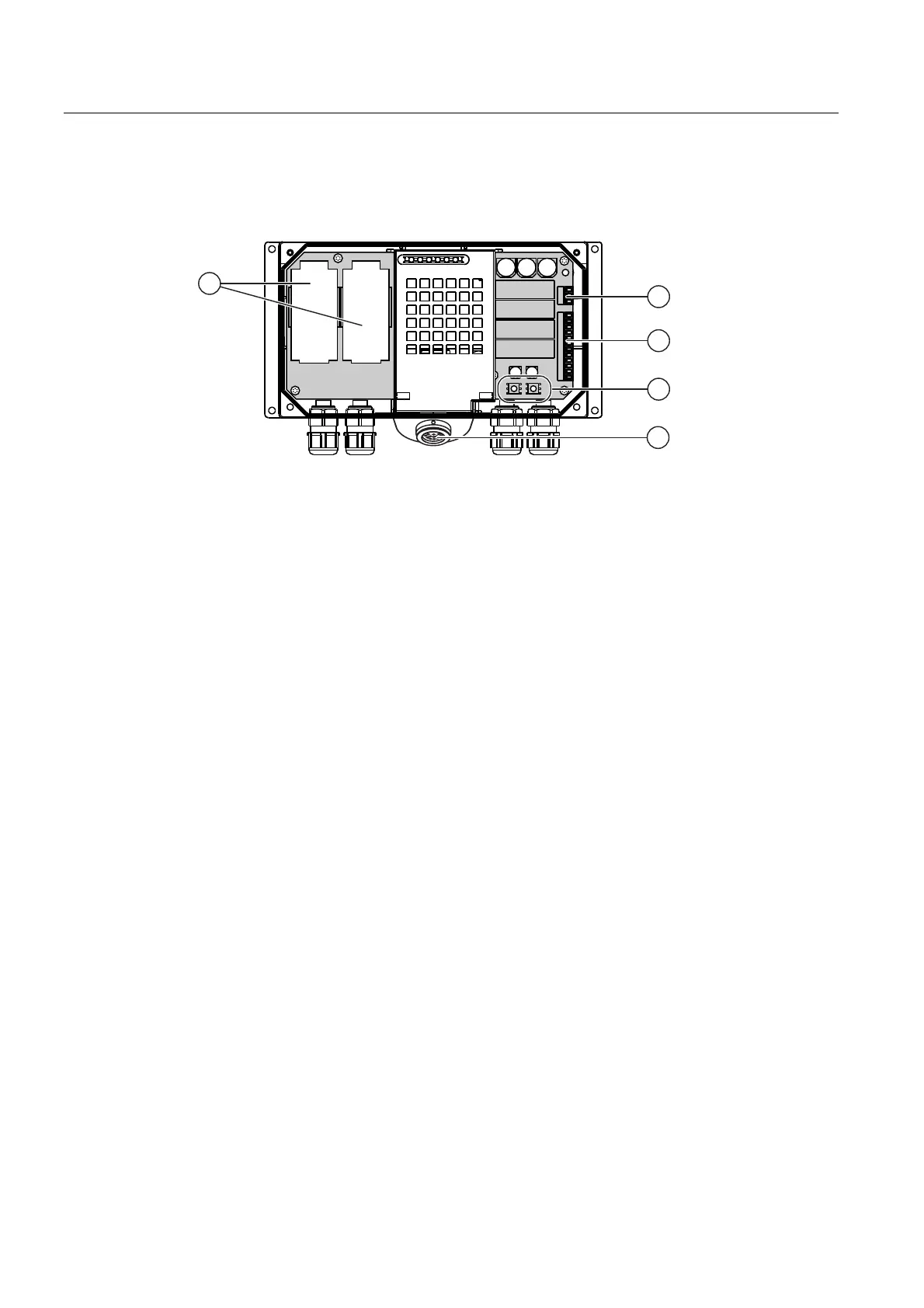
4.2.3 Interfaces to the Terminal Box PN
The following interfaces are available on the terminal box:
Figure 4-3 Interfaces to the Terminal Box PN
① Fast connector
② Terminal strip 1 for supply voltage
③ Terminal strip 2 for safety function for STOP button and Enable switch and for additional
control system functions
④ Rotary encoder switch for entering the box ID
⑤ Socket for the connecting cable
Two PROFINET cables can be connected to each Fast Connector in order to loop the
PROFINET through.










 To Next Page