Mounting and Connection
4.2 Connecting the terminal box
Mobile Panel 177 (WinCC flexible)
Operating Instructions (Compact), Edition 07/2005
4-11
4.2.7 Connecting a Power Supply
Introduction
The supply voltage for the HMI device is connected to a terminal strip in the terminal box.
The terminal block is designed for cables with a maximum cross-section of 1,5 mm
2
.
Connect the ground terminal of the terminal box to the cabinet ground.
Note
Polarity reversal protection
The terminal box has polarity reversal protection.
Wiring diagram
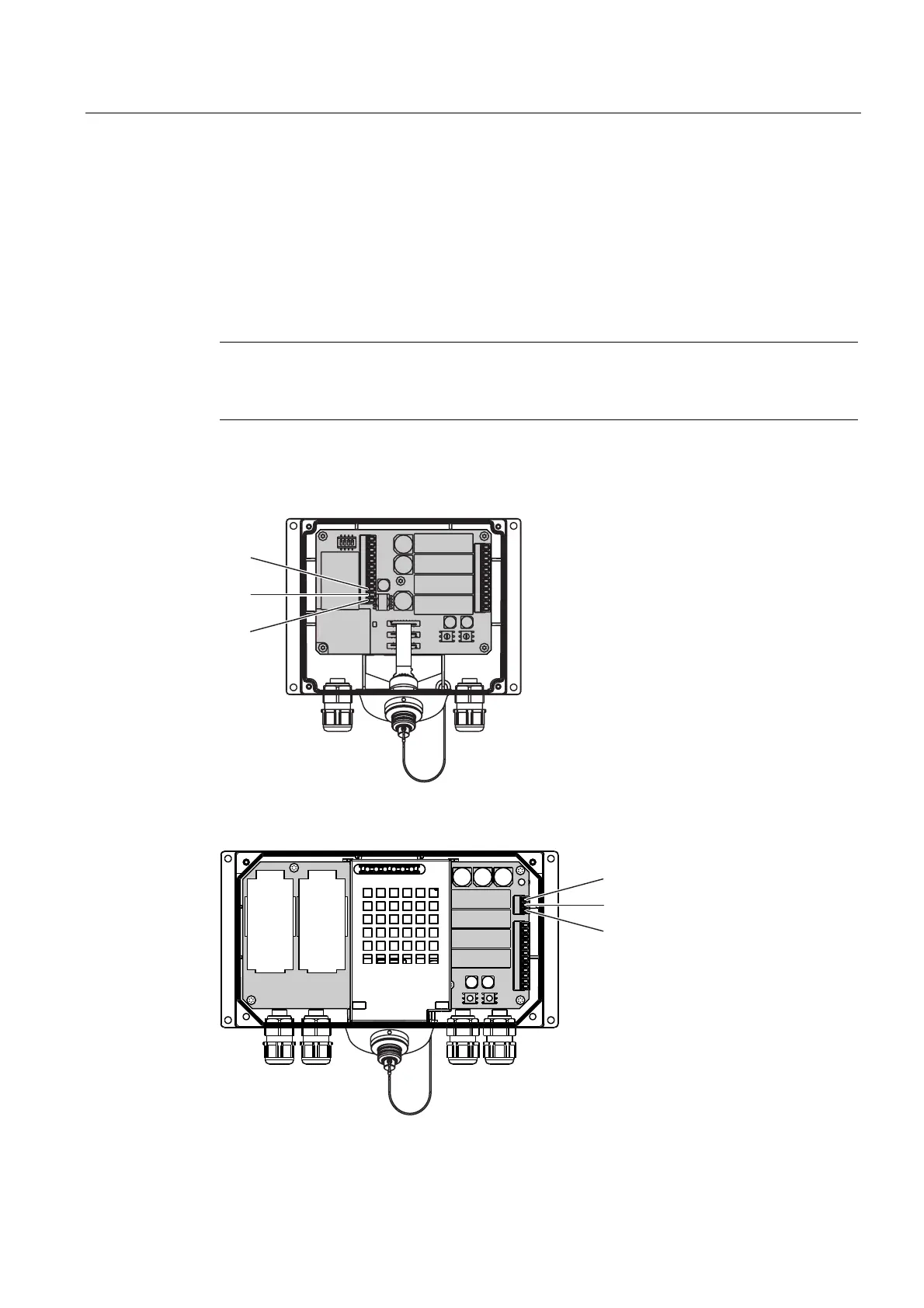
The following figures show the connection of the power supply to the terminal box.
3(
0
3
Figure 4-9 Connecting the power supply to the Terminal Box DP
3(
0
3
Figure 4-10 Connecting the power supply to the Terminal Box PN










 To Next Page