Mounting and Connection
4.3 Connecting Mobile Panel 177
Mobile Panel 177 (WinCC flexible)
4-24 Operating Instructions (Compact), Edition 07/2005
4.3.5 Connecting the configuration computer
Requirements
• The cover of the terminal compartment at the Mobile Panel 177 is removed.
• The Mobile Panel 177 is connected to the terminal box.
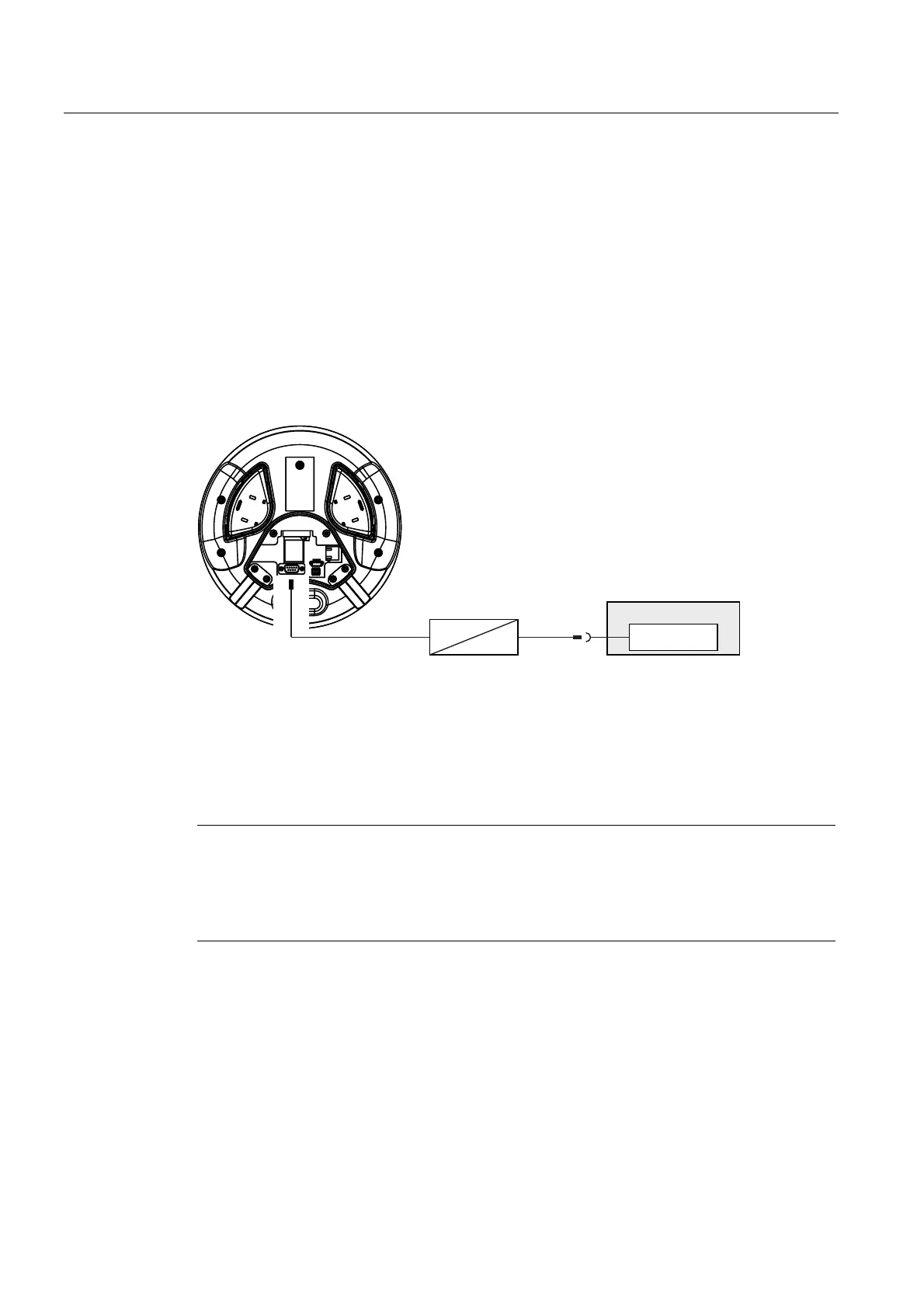
Wiring diagram
The following figure shows the serial connection via RS 485 between the HMI device and the
configuration computer for transferring the image, project and other project data.
3&
56
56
Figure 4-19 Connecting the configuration computer to the Mobile Panel 177, example
Mobile Panel 177 PN
For the conversion from RS 232 to RS 485, order the PC-PPI adapter,
Order No. 6ES7 901- 3CB30-0XA0, from Siemens AG.
The interfaces are described in the Technical Data.
Notice
You cannot fasten the cover of the terminal compartment while a configuration computer is
connected directly to the Mobile Panel 177.
Therefore only connect a configuration computer briefly directly to the Mobile Panel 177, for
example during commissioning.










 To Next Page