Appendix
A.2 Evaluation of the operator control elements
Mobile Panel 177 (WinCC flexible)
A-14 Operating Instructions (Compact), Edition 07/2005
A.2.3.4 Key-operated switch
Application
The key-operated switch is an optional operator control element of the Mobile Panel 177. In
an active project the key-operated switch is used to lock functions that are triggered by the
Mobile Panel 177.
Bit assignment
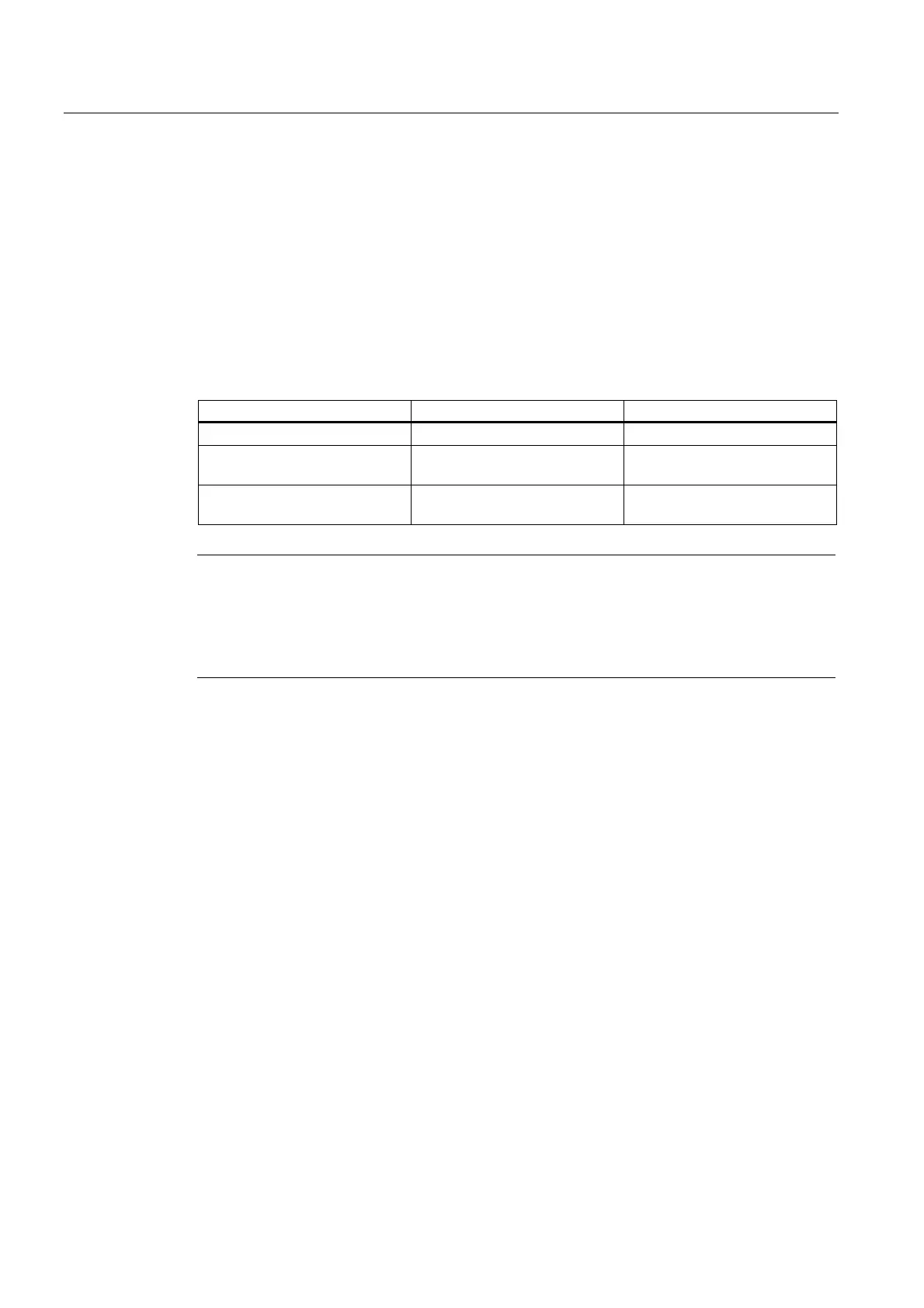
The following table shows the bit assignment for the tag of the key-operated switch:
Bit 1 Bit 0 Key position
0 0 In central position
1 0 Turned clockwise to the end
stop
0 1 Turned counterclockwise to the
end stop
Note
If you use a tag of the "Boolean" type for the key-operated switch, the following assignment
applies:
• Status "0": Central position of the key-operated switch
• Status "1": Key-operated switch turned clockwise or counterclockwise to the end stop
A.2.3.5 Hand wheel
Application
The handwheel is an optional operator control element of the Mobile Panel 177. In an active
project you can input incremental values with the handwheel.
Evaluation of the incremental values
If the signals of the handwheel are assigned to a WinCC flexible tag, the forwards and
backwards increments are offset against each other and the absolute value of the
increments is specified. The maximum or minimum value of the increments until an overflow
depends on the type of tags assigned.
A complete handwheel revolution yields 50 pulses. The rotary pulse encoder supplies a
maximum of 200 pulses per second.
Example
The handwheel has a starting value of 120 increments.
The wheel rotates 10 increments forwards and 3 increments backwards.
This results in a new value of 127 increments.



 To Next Page