Mounting and Connection
4.2 Connecting the terminal box
Mobile Panel 177 (WinCC flexible)
Operating Instructions (Compact), Edition 07/2005
4-13
4.2.8 Connecting the PLC
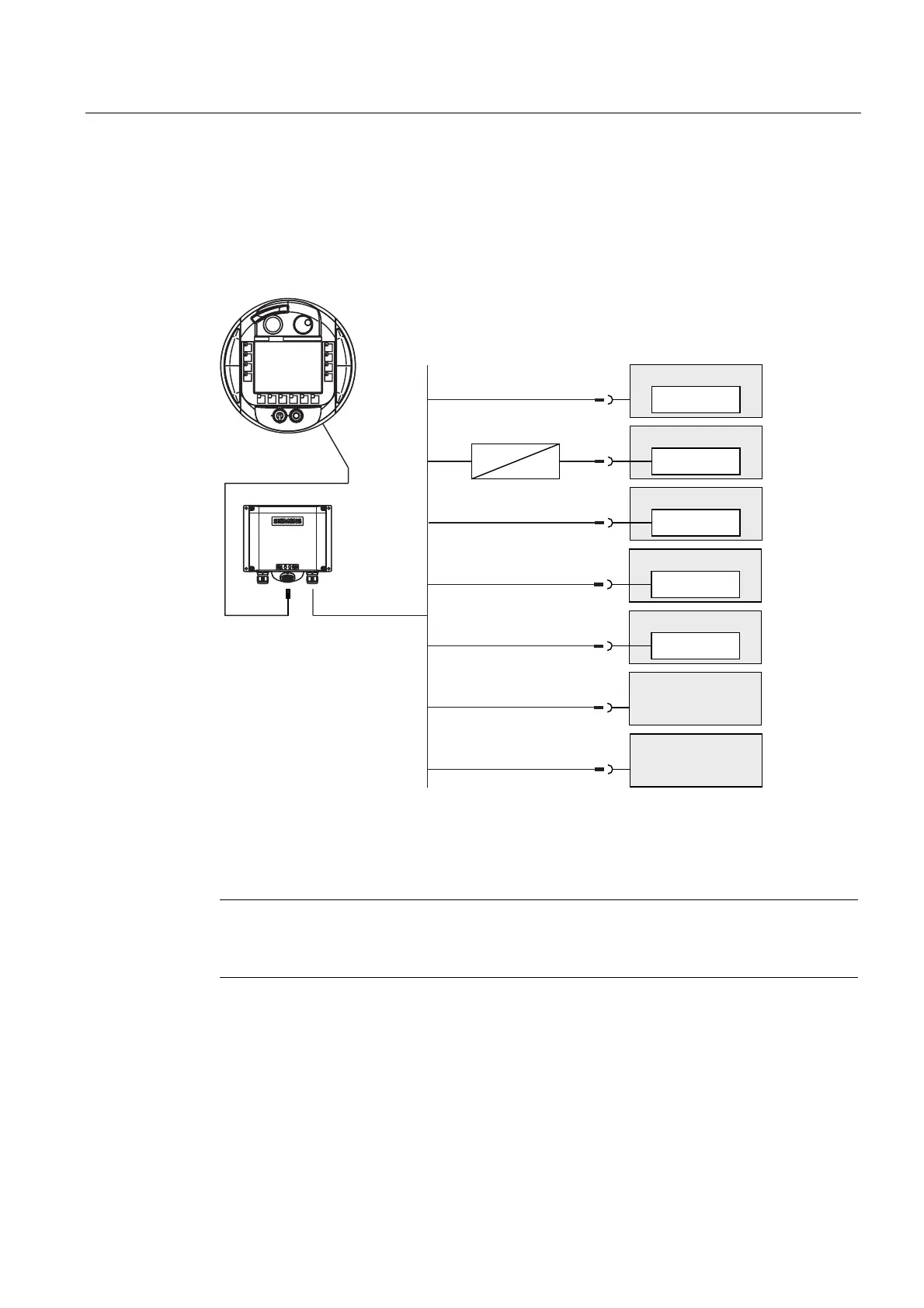
Connecting a PLC to a Terminal Box DP
The following figure shows the connection of the PLC to the Terminal Box DP.
&RQWUROOHURIRWKHU
PDQXIDFWXUHUV
&RQWUROOHURIRWKHU
PDQXIDFWXUHUV
77<
352),%86'3
6,0$7,&6
56
5656
6,0$7,&6
6,0$7,&6
56
6,0$7,&6
56
6,0$7,&6
352),%86'3
352),%86'3
56
77<
352),%86'3
1 When a serial interface is used during operation, IF1 (RS 232) and (RS 422/485) may only be
connected alternately at the terminal box
2 Use only the cables approved for that purpose to connect to a SIMATIC S7.
Notice
Protection rating
The adapter must be set up in such a way the an IP65 protection rating is ensured.
Always use the approved cables to connect a SIMATIC S7 PLC. Note also the maximum
permissible cable lengths for the process interface. Standard cables are available for the
connection. For further information, refer to the SIMATIC HMI Catalog ST 80.










 To Next Page