Mobile Panel 177 (WinCC flexible)
Operating Instructions (Compact), Edition 07/2005
1-1
Overview
1
1.1 1.1 Design
Design
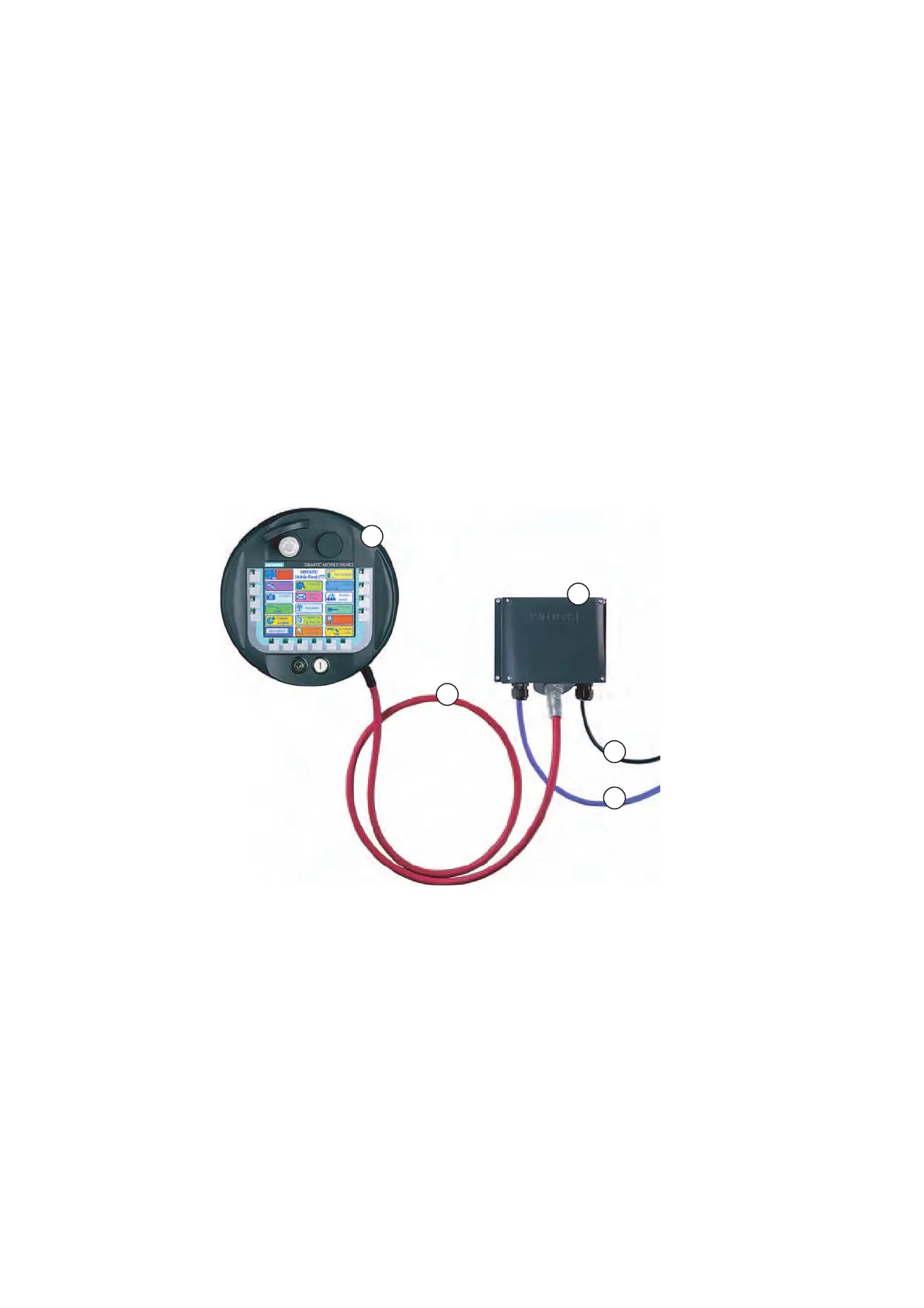
The following figure shows the Mobile Panel 177 with a terminal box. For stationary
operation, the Mobile Panel 177 can be securely placed in a wall holder (not shown).
Figure 1-1 Mobile Panel design, example Mobile Panel 177 DP
① Mobile Panel 177 DP
② Terminal Box DP
③ Connecting cable DP
④ Cable for power supply and safety functions
⑤ Cable for process connection
Cables for process connection are available in different lengths and must be purchased
separately.
Cables for the power supply and safety functions must be selected specifically for the
system.










 To Next Page