Overview
1.2 Mobile Panel 177
Mobile Panel 177 (WinCC flexible)
1-2 Operating Instructions (Compact), Edition 07/2005
1.2 1.2 Mobile Panel 177
Introduction
The Mobile Panel 177 comes equipped in the following three ways:
• With enabling switches
• With enabling switches and STOP button
• With enabling switches, STOP button, handwheel, key-operated switch, and illuminated
pushbutton
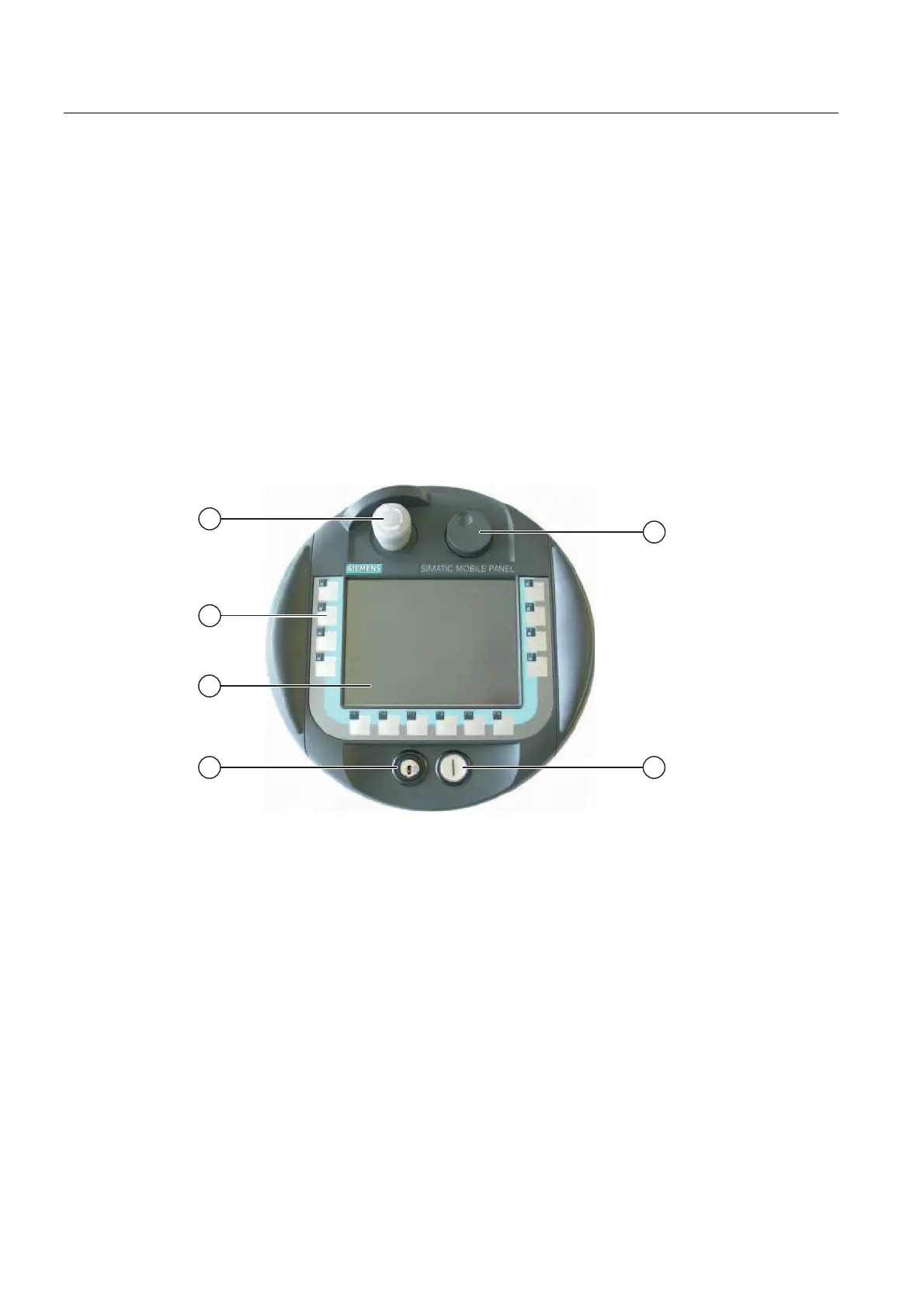
This variant is shown in the following illustrations.
Views of the Mobile Panel 177
Figure 1-2 Front view
① STOP button, optional
② Control keys
③ Display / Touch screen
④ Key-operated switch, optional
⑤ Handwheel, optional
⑥ Illuminated pushbutton, optional










 To Next Page