Overview
1.2 Mobile Panel 177
Mobile Panel 177 (WinCC flexible)
Operating Instructions (Compact), Edition 07/2005
1-3
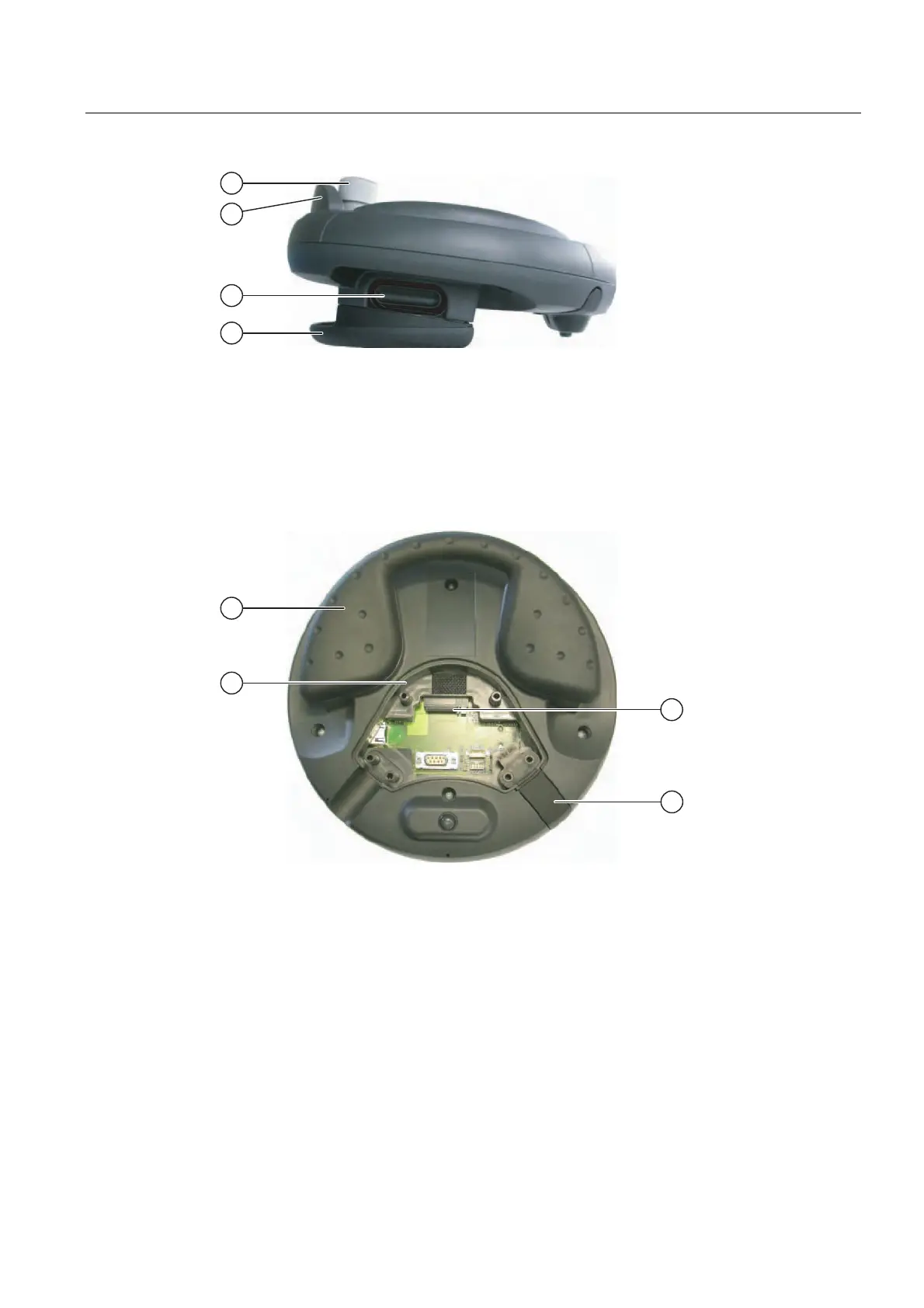
Figure 1-3 Side view
① Fall protection for the STOP pushbutton
② STOP button, optional
③ Enabling switches, located on both sides of the Mobile Panel 177
④ Grip
Figure 1-4 Rear view with opened terminal compartment on Mobile Panel 177 DP
① Grip
② Terminal compartment
③ Slot for MultiMediaCard
④ Sealing plug, to guarantee maintenance of protection class IP65










 To Next Page