Mounting and Connection
4.3 Connecting Mobile Panel 177
Mobile Panel 177 (WinCC flexible)
Operating Instructions (Compact), Edition 07/2005
4-19
Procedure
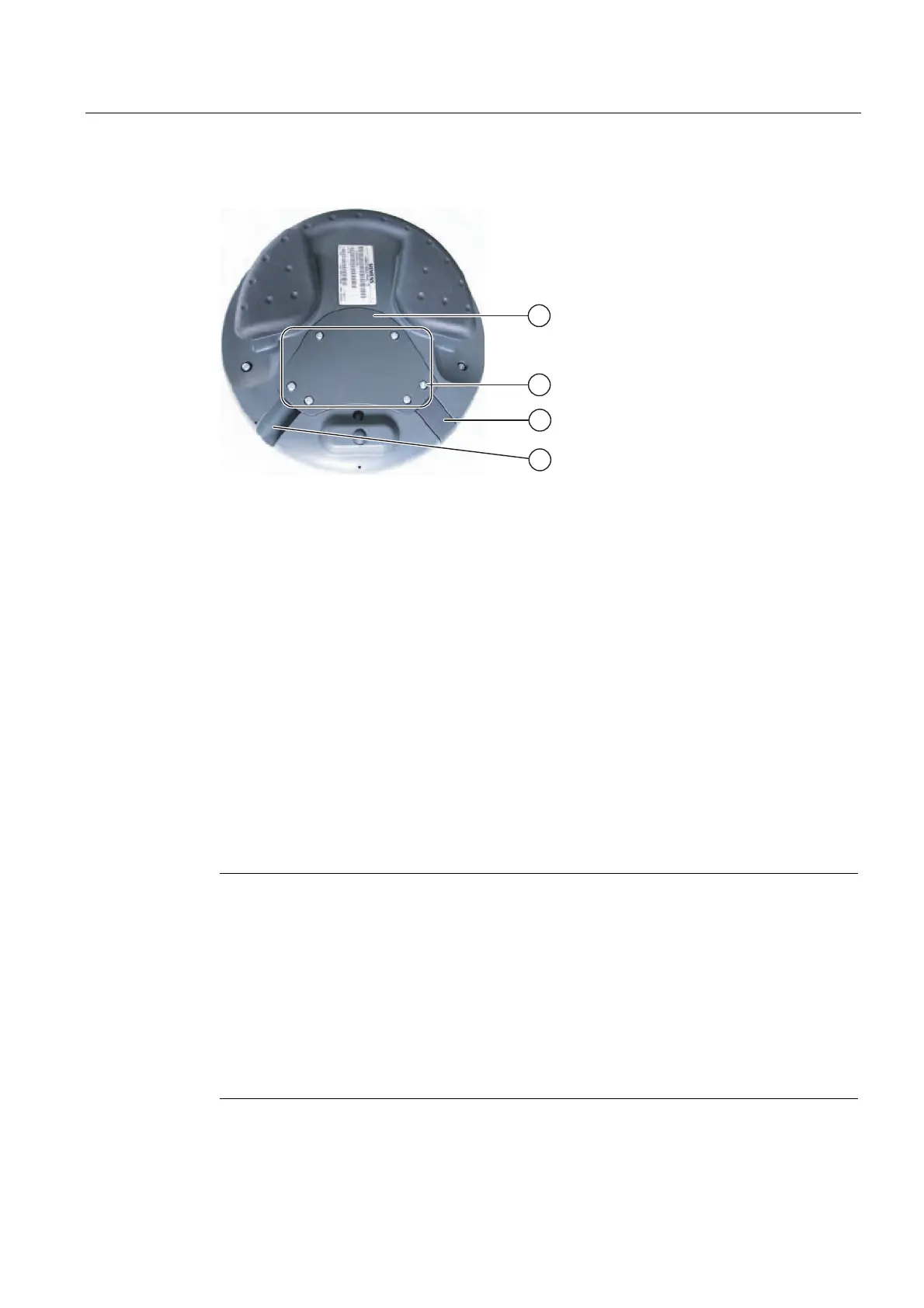
Figure 4-14 Opening the terminal compartment
① Cover
② Screws on the cover
③ Plugs
④ Outlet
Proceed as follows:
1. Screw out the six screws of the cover about 1 cm
The cover is designed in such a way that the screws cannot be lost. Therefore, do not
screw the screws out further than 1 cm. They can then be removed together with the
cover where they will remain intact.
2. Lay down the cover with the screws
3. Plug the plug into the outlet that is not used
Notes for closing
Notice
Permissible torque
The housing of the Mobile Panel 177 is made of plastic. Therefore, the mounting hole
threads cannot handle the same amount of stress as a comparable metallic housing. Do not
exceed 0.4 to 0.5 Nm of torque when tightening the screws.
If the screws are tightened more than 20 times, there is risk of damage to the threads.
Protection class IP65
Ensure that the seal belonging to the cover is present during mounting. Upon conclusion of
your work on the connections, check to make sure that the unused outlet is fitted with the
plug. Otherwise, protection class IP65 is not guaranteed.










 To Next Page