Electrical connection
6.5 Connecting the temperature sensor/anti-condensation heater
Standard motors SH 63 ... 355
70 Operating Instructions, 12/2018, A5E38483075A
External ground terminal
When making connections, ensure the following:
● Ensure that the connecting surface is bare and is protected against corrosion using a
suitable substance, e.g. acid-free Vaseline.
● Position the cable lug between the contact bracket and the grounding bracket; do not
remove the contact bracket pressed into the enclosure!
● Arrange the flat washer and spring washer under the bolt head.
● Use the marked connection location for the grounding conductor on the stator housing.
● Observe the tightening torque for the locking screw.
6.5 Connecting the temperature sensor/anti-condensation heater
6.5.1 Connecting optional integrated devices and equipment
In addition to the current-dependent overload protective device located in the connecting
cables, use the optionally available integrated devices and equipment, for example,
temperature sensor, anti-condensation heating.
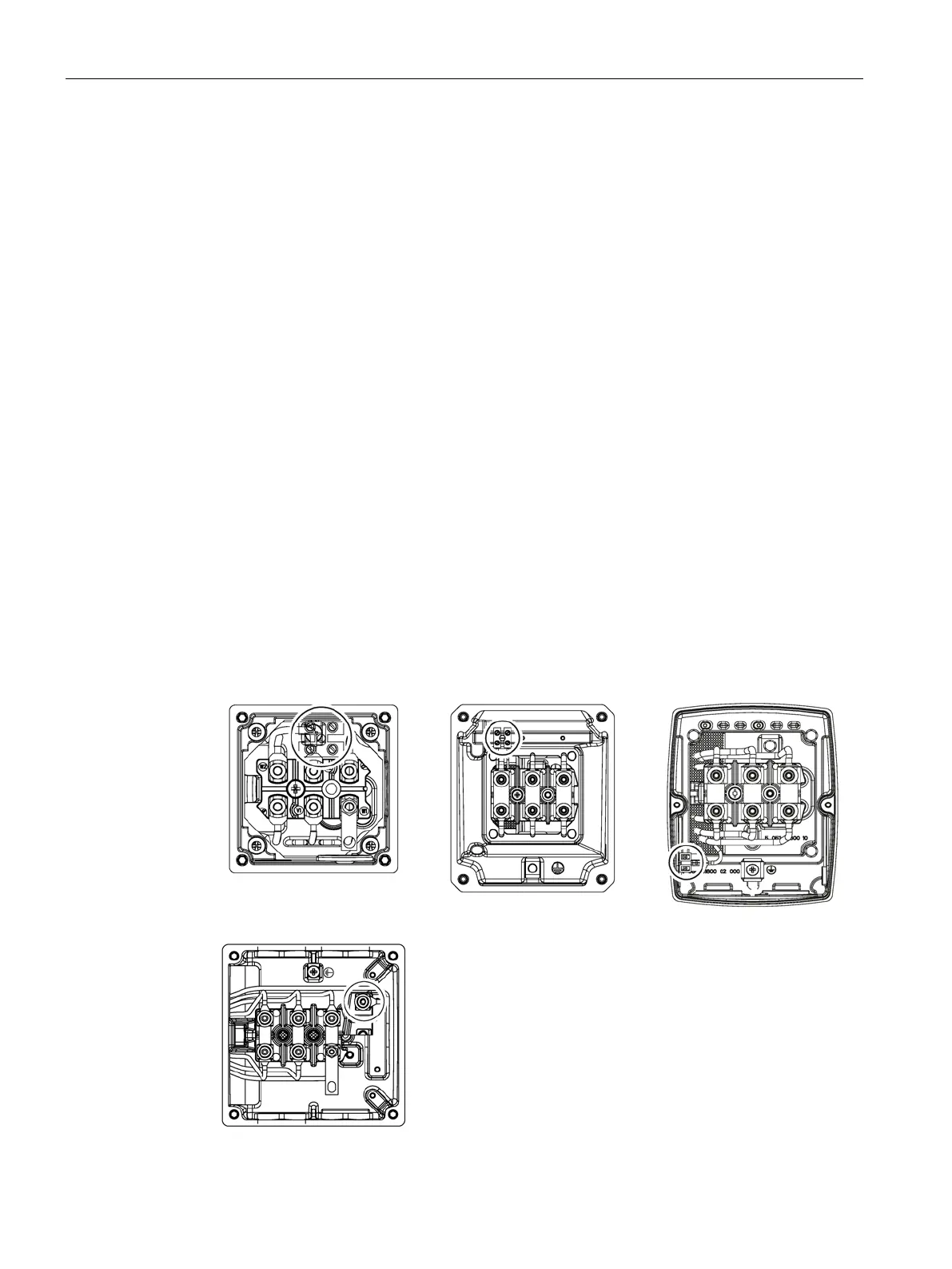
Depending on the terminal box version, connect the auxiliary circuits to the terminal block or
to the terminal board.
Terminal block connection
Terminal board connection



 To Next Page