WA_DEV_GL6100_PTS_001 Rev 002 May 24, 2010 37
GL61x0 Product Technical
Specification and User Guide
Interfaces and Peripherals
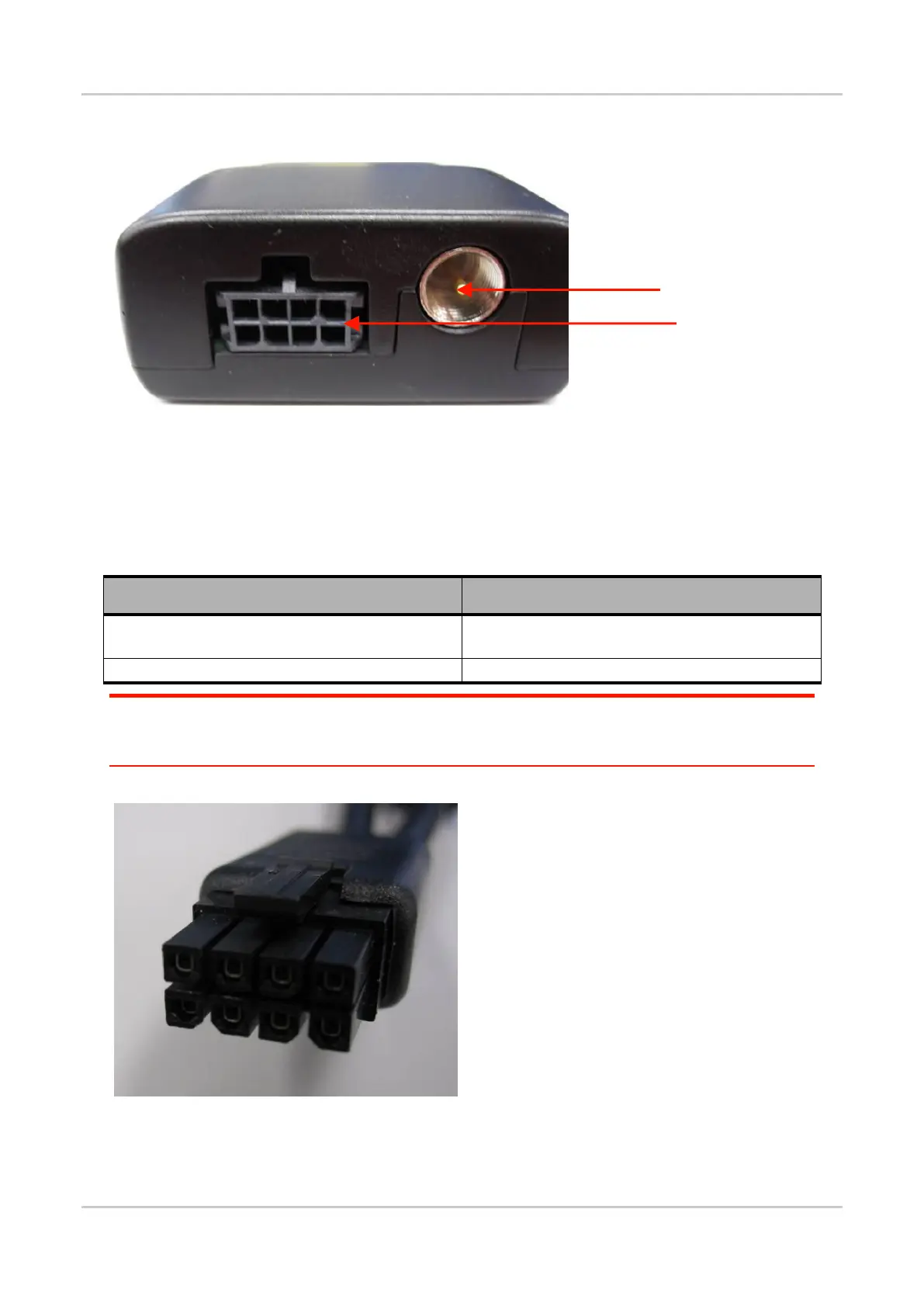
6.2. Back Interface
Figure 21. GL61x0 Back Interface
6.2.1. 8-pin Micro-Fit Connector
The 8-pin Micro-Fit connector is used for the following connections:
Table 21: 8-pin Micro-Fit Connections
External DC power supply connection with voltage
from +4.75V to +32V
External DC power supply connection with voltage 5V
Main serial link (RS-232)
Caution: Bear in mind that the cables plugged into the 8-pin Micro-Fit connector should always be compatible
with the GL61x0 variant. Interchanging the cables between the two GL61x0 variants (that is, using the
RS-232 cable on the GL6110 or using the Micro-fit
®
USB cable on the GL6100) may damage either
the modem or the PC.
Figure 22. 8-pin Micro-Fit Connector on Cable Side
8-pin Micro-Fit Connector



 To Next Page