WA_DEV_GL6100_PTS_001 Rev 002 May 24, 2010 48
GL61x0 Product Technical
Specification and User Guide
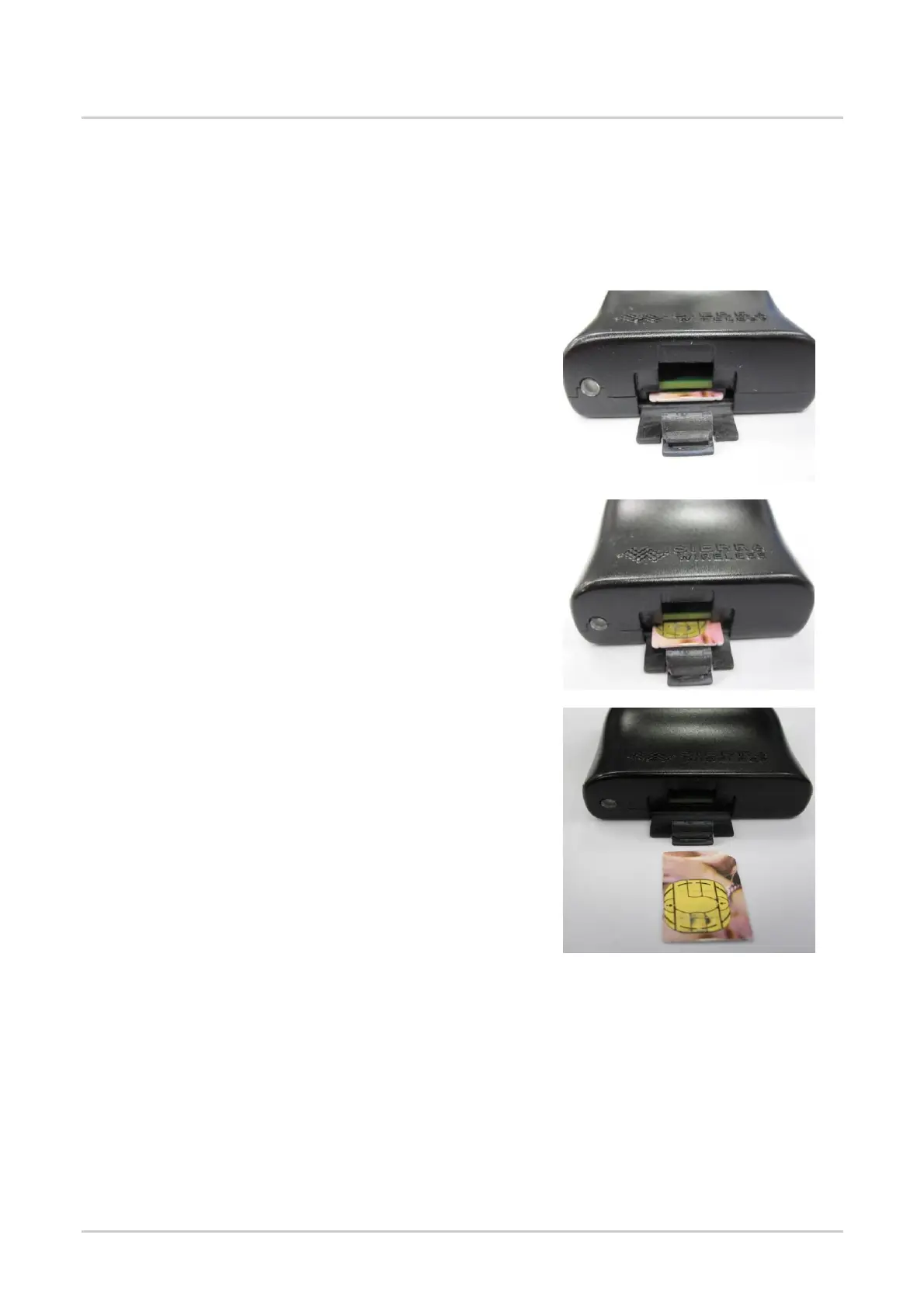
7.1.2. Extracting the SIM Card
In order to extract the SIM card from the GL61x0, follow the procedure shown below.
1. Open the SIM socket flap.
2. Use a tool to further push the SIM card into the SIM
holder. Push until you hear a clicking sound.
3. The SIM card should spring out a little bit after the
clicking sound.
4. Extract the SIM card from the GL61x0.
7.2. Operational Status
The GL61x0’s operational status is defined by a red LED, which is located next to the SIM connector
on the GL61x0 panel. Refer to section 6.1.2 LED Status Indicator for more information about the
GL61x0’s LED status indicator.



 To Next Page