WA_DEV_GL6100_PTS_001 Rev 002 May 24, 2010 47
GL61x0 Product Technical
Specification and User Guide
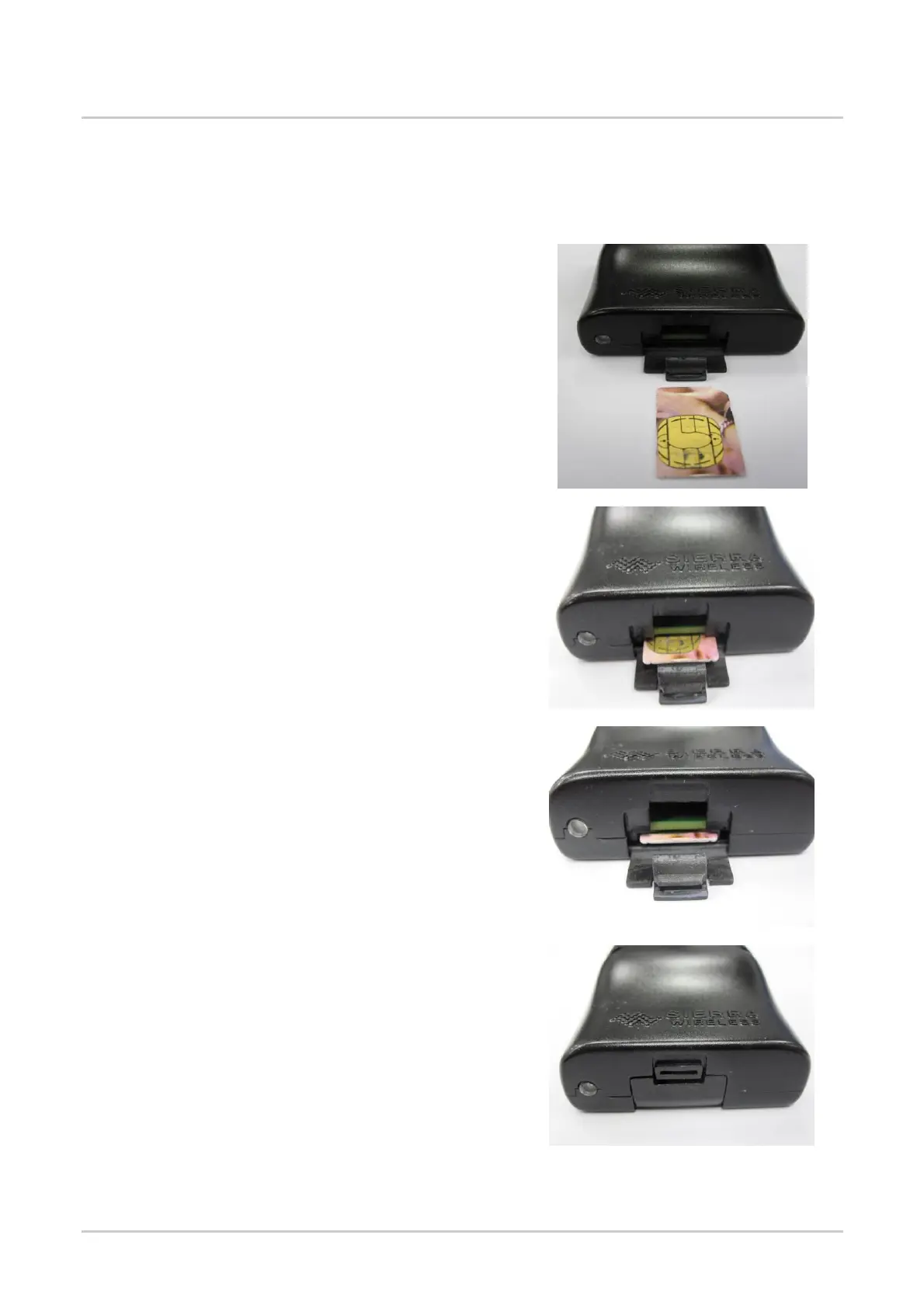
7.1.1. Inserting the SIM Card
In order to insert the SIM card into the GL61x0, follow the procedure shown below.
1. Prepare the SIM card in the correct position as
shown in the figure.
2. Slide the SIM card into the SIM holder.
3. Use a tool to help push the SIM card into the SIM
holder. Push the SIM card all the way in until you
hear a clicking sound.




 To Next Page