CM5_UM_ 9752090319_GB_V0_9 14 / 67
5.4 Rotating the front panel 180°
The front panel of the generator can be rotated 180° as follows:
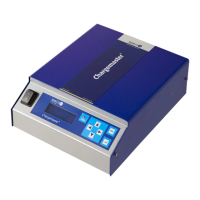
Figure 7: different CM5 models
1. De-energise the generator and remove the power cable.
2. Remove the cover.
3. Disconnect the mains switch faston plugs.
4. Disconnect the front panel connectors from the upright PCB.
5. Unscrew both hexagon nuts on the front panel.
6. The front panel can now be taken off the generator and turned round.
7. Re-attach the front panel with the two hexagon nuts.
8. Also rotate the switch.
9. Reconnect the front panel connectors.
10. Reconnect the mains switch faston plugs (2x black to the top connection and brown/blue to
the middle connection).
9. Fit the cover.
11. Reconnect the power cable and switch the generator back on.
Figure 8: main switch connection of the CM5


 To Next Page