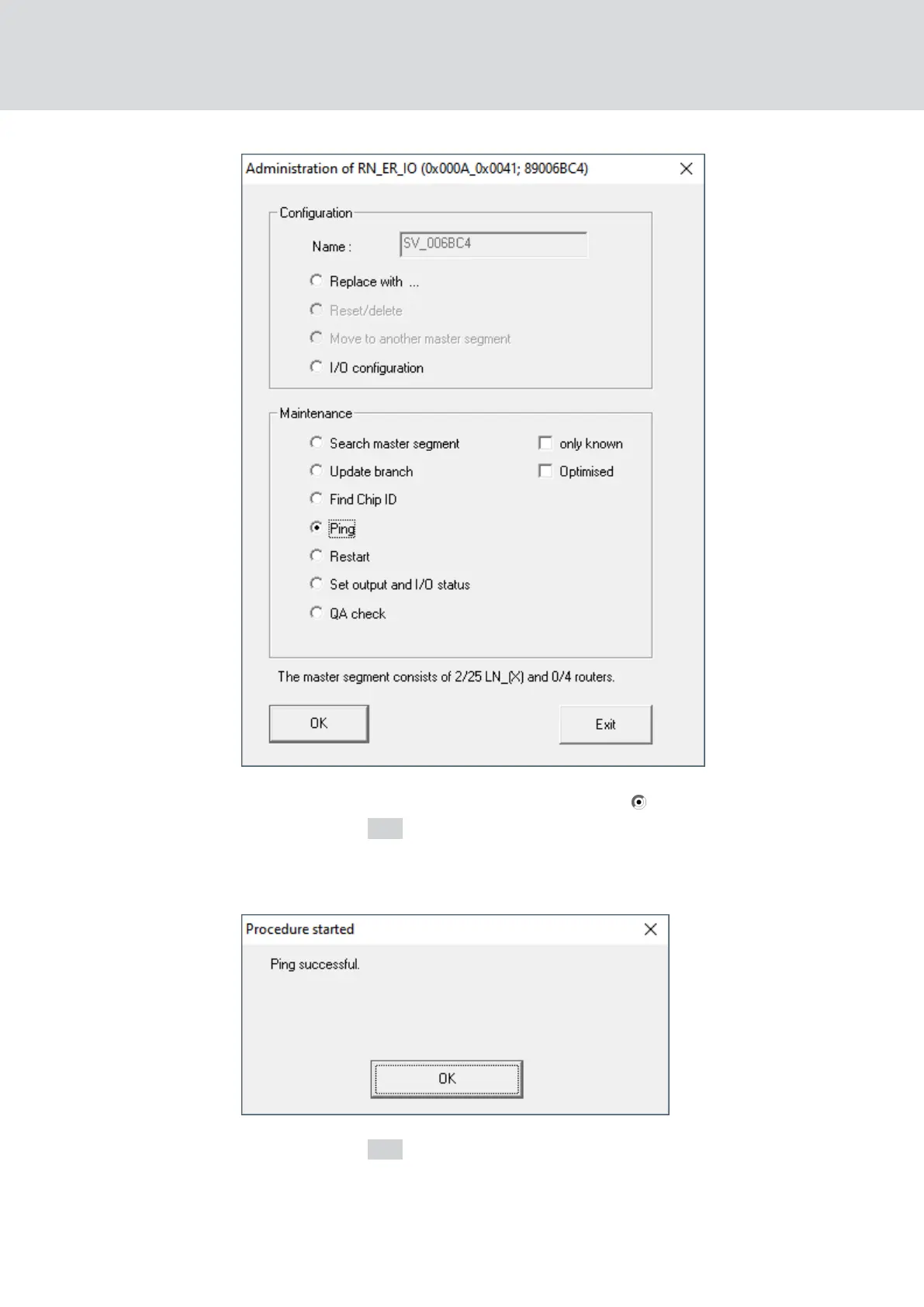
2. In the area "Maintenance" select the option Ping.
3. Click on the OK button.
9 The "Administration" window closes.
9 The window "Procedure started" opens.
4. Click on the OK button.
9 The "Procedure started" window closes.
9 WaveNet Manager reaches RouterNode.
WaveNet (Manual)
5. WaveNet Manager
175 / 210



 To Next Page