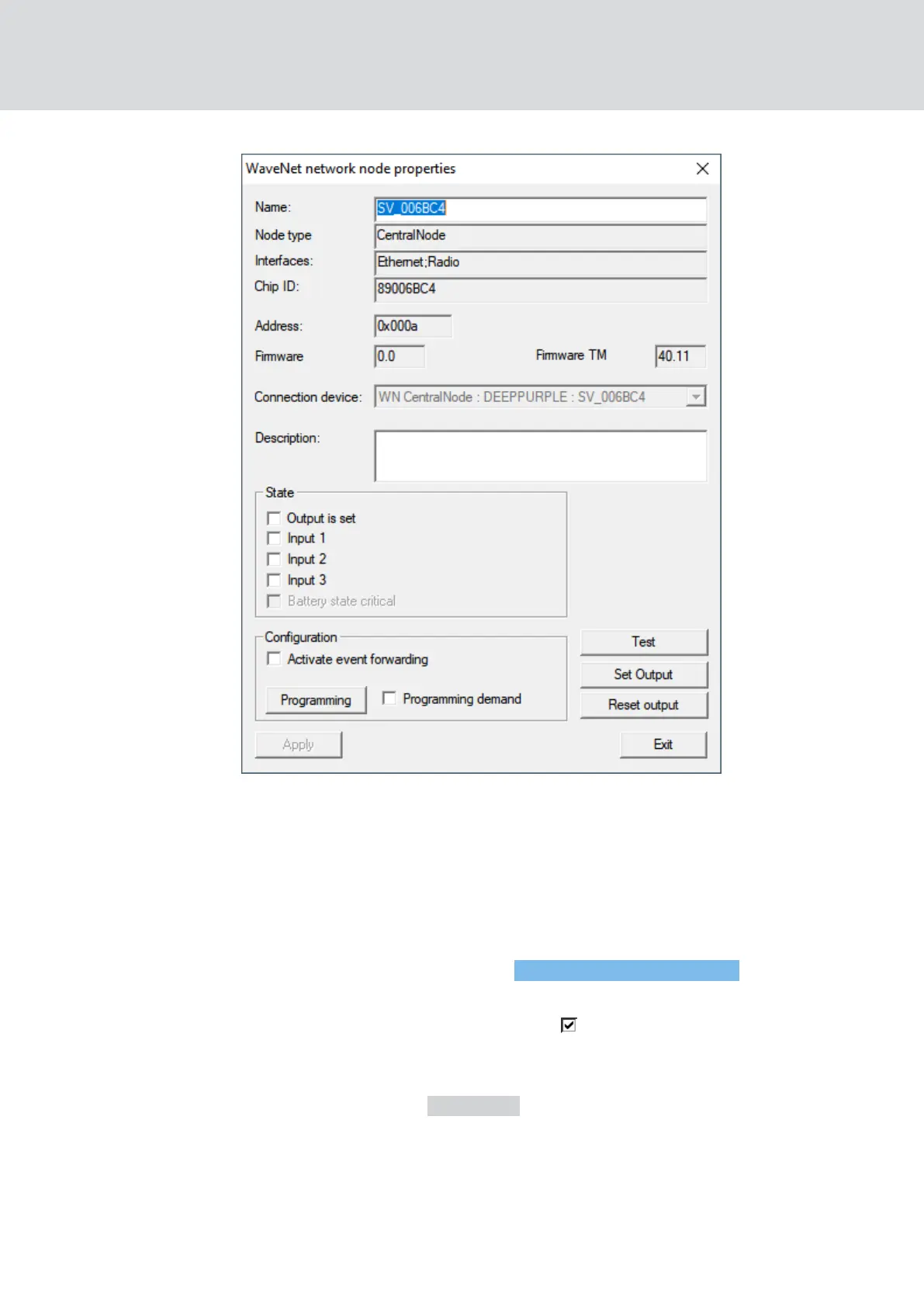
9 You see the firmware version in the line Firmware TM.
LockNodes
ü LSM is open.
ü LockNodes connected to LSM (for testing, see
Test reachability (LSM)
[}177]
).
1. Via |Network| open the entry Administer WaveNet node .
9 You see a list of WaveNet-relevant components.
2. If necessary, activate the checkbox Display all WaveNet nodes.
9 You will see a list of WaveNet-relevant components.
3. Select the LockNode whose firmware you want to read out.
4. Click on the button Properties .
9 The window "WaveNet network node properties" opens.
WaveNet (Manual)
4. WaveNet system
31 / 210



 To Next Page