Chapter 3: About UCS server management 35
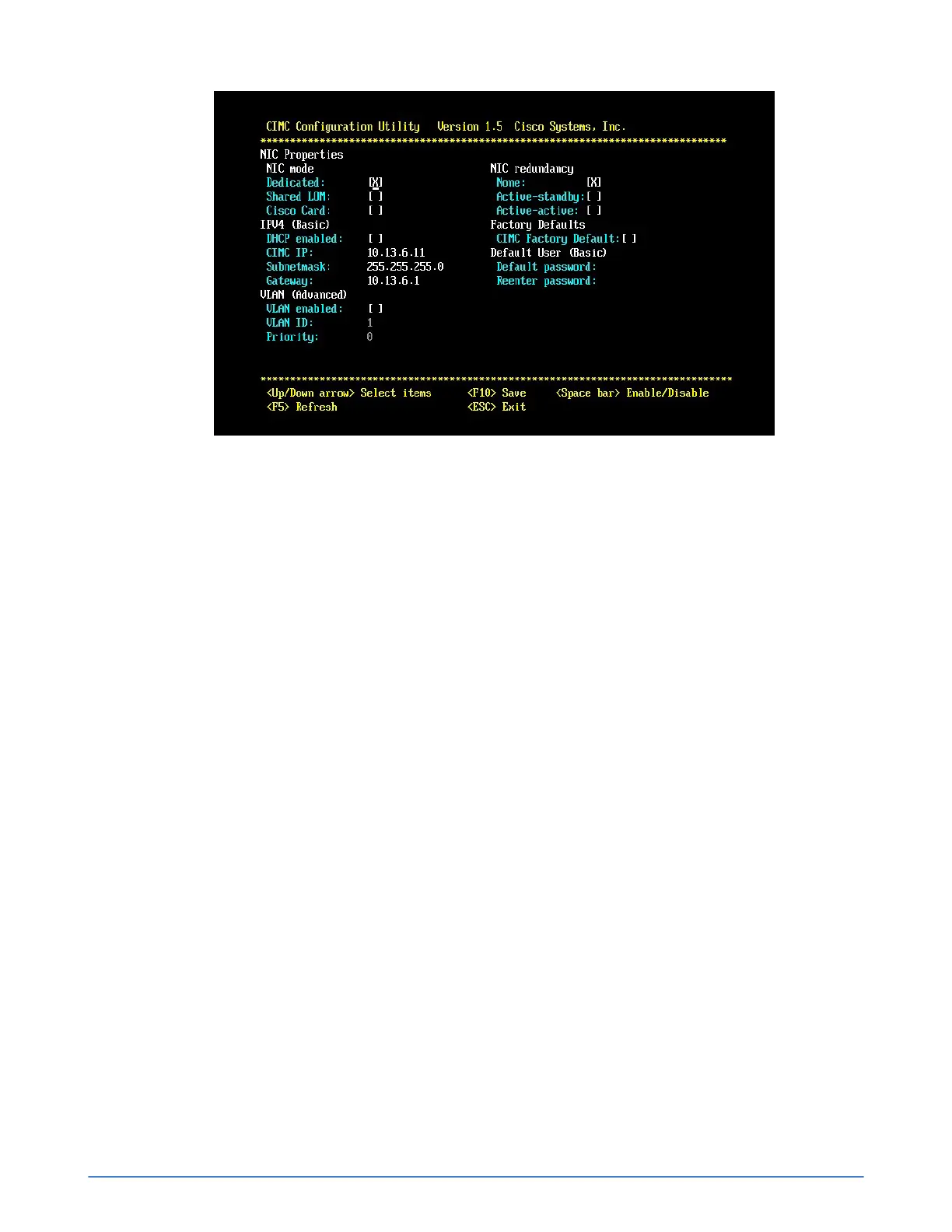
Figure 7: CIMC Configuration Utility
5. Move to the Dedicated: field, under NIC Properties, NIC mode. Press the space bar to enable
this item.
6. Move to the DHCP enabled: field, under IPV4 (Basic). Press the space bar to disable this item.
7. Move to the CIMC IP: field, under IPV4 (Basic). Type the static IP address.
8. Subnetmask: field, under IPV4 (Basic). Type the static Subnet mask.
9. Gateway: field, under IPV4 (Basic). Type the gateway IP address.
10. Move to the None: field, under NIC Redundancy.
11. Press the Space bar to enable NIC redundancy.
12. Press F10 to save your changes, then Esc to exit. The boot process continues. If you are setting
up the server for the first time, it automatically boots to the pre-installed hypervisor software.
13. Optional: Launch the KVM Virtual Console to access advanced server options.
Next steps
You can now use Deployment Manager to deploy the server to a Federation. See the SimpliVity
OmniStack Host Deployment Guide.
Access the CIMC Web interface
Before you begin
You have configured the CIMC port and made a note of the static IP address you assigned to CIMC.
Procedure overview
You access the CIMC interface through a Web browser.



 To Next Page