Chapter 4: Server troubleshooting 44
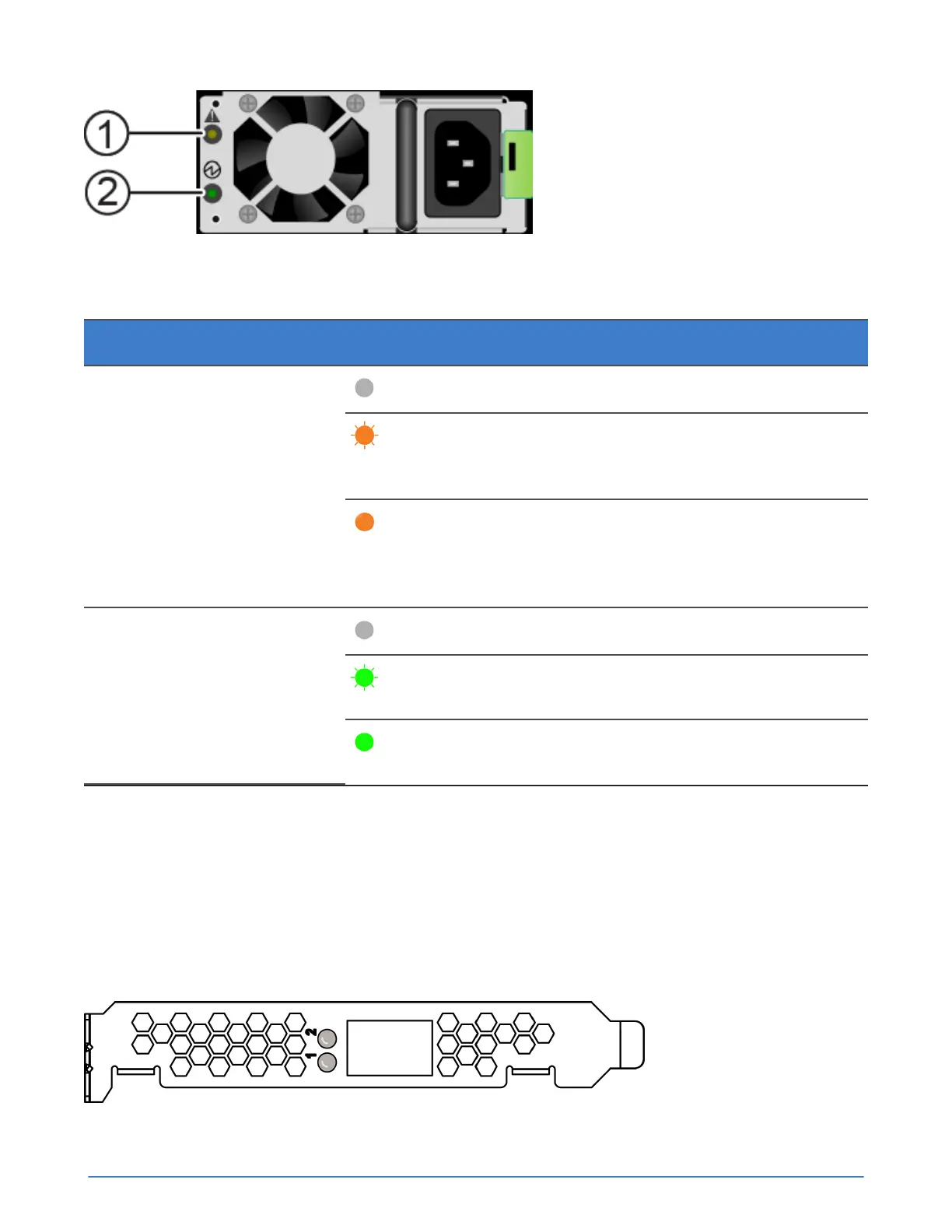
Figure 16: Power supply LEDs
Table 9: Power supply LED descriptions
Callout LED Description
Off : Normal operation
Flashing amber: Event threshold
reached, PSU continues to
operate.
1: Fault LED
Steady amber: Event threshold
exceeded, PSU has shut down.
Possible cause is a fan failure or
high ambient temperature.
Off: No AC power present.
Flashing green: AC power
present, no DC output enabled.
2: AC Status LED
Steady green: AC power
present, no DC output present.
If a power supply fails, contact Customer Support for a replacement of the same type and wattage. For
information about replacing a power supply, see the Cisco documentation referenced in the product
documentation at:
http://www.cisco.com/c/en/us/td/docs/unified_computing/ucs/c/hw/C240M4/install/C240M4.pdf
About Accelerator card monitoring
The LEDs on an Accelerator card indicate when there is a problem with the card. If an Accelerator card
fails, contact Customer Support to have it replaced.
Figure 17: Accelerator card LEDs



 To Next Page