Chapter 5: Drive maintenance 51
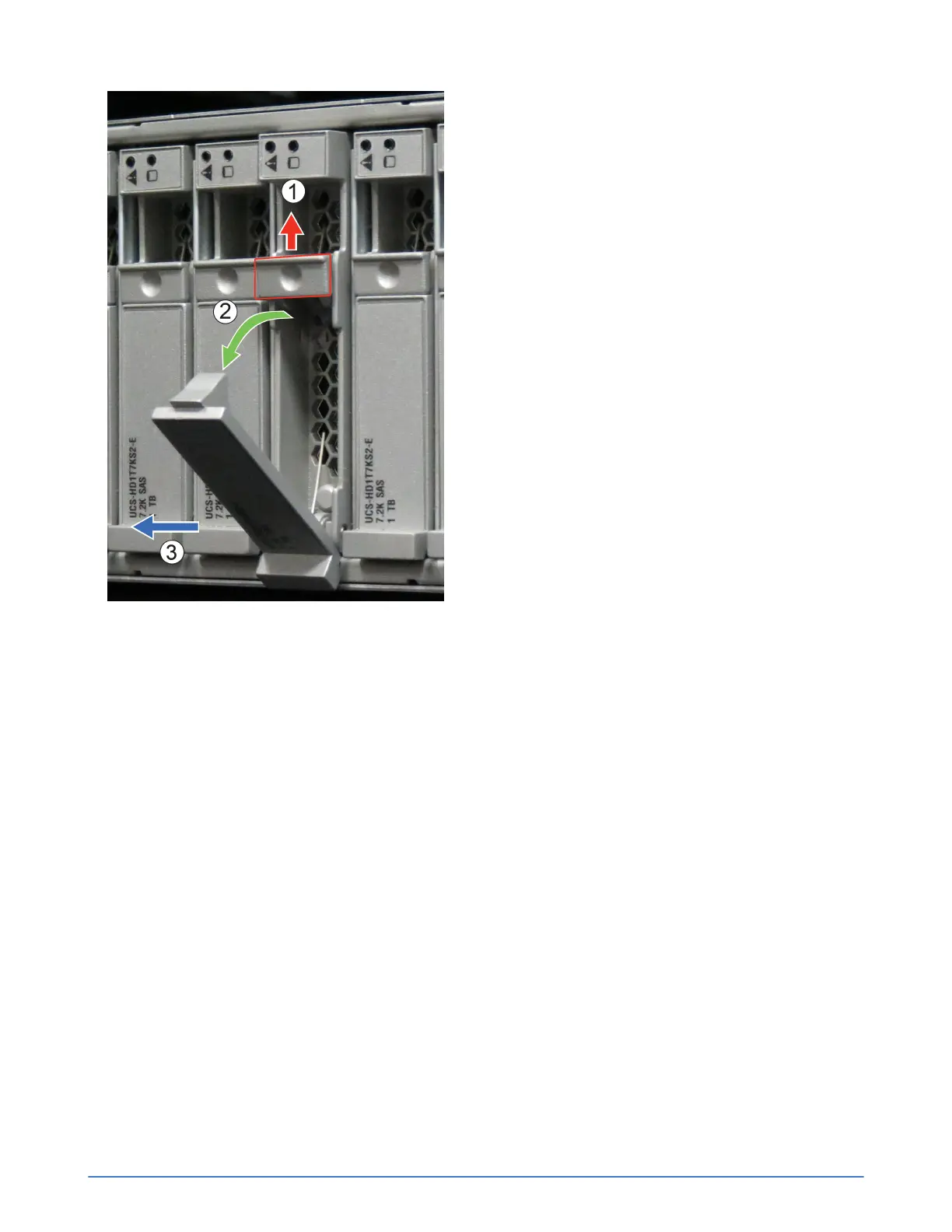
3. Rotate the handle (2) downward, disengaging the drive from the slot.
4. Use the handle (3) to pull the drive from the slot.
5. Place the drive on a surface that is protected from electrostatic discharge.
6. Install the replacement drive.
Install a drive
Before you begin
You have completed the following tasks:
■ Obtained a replacement drive of the same type, speed, and capacity.
■ Removed the failed drive.
■ Read the guidelines for maintaining disk drives.
■ Read the guidelines for protecting hardware from electrostatic discharge.
■ Verified that all backup operations are up to date.
Procedure overview
You install a drive to replace a failed, or failing, hard disk drive (HDD) or solid state drive (SSD). You
can also install a drive filler, since the drive bay cannot be empty after the failed drive is removed.



 To Next Page