Chapter 7: About network cabling options 56
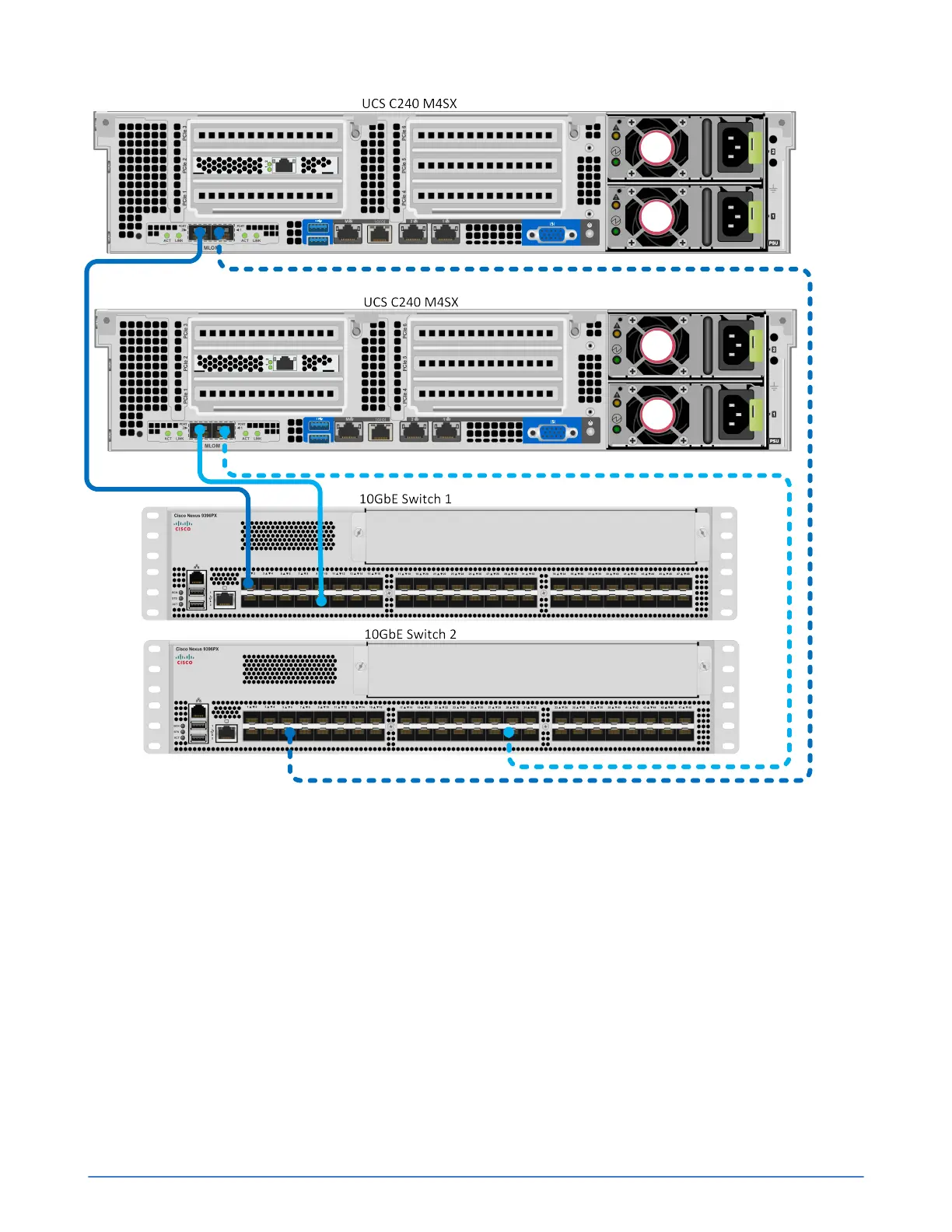
Configuration guidelines for each server:
■ Use two SFP+ Direct Attach active cables (or Fiber Optic cables) to connect the 10GbE ports to
different 10GbE switches.
■ Use VLANs on each switch according to the network separation rules specified in the SimpliVity
OmniStack Administrator Guide.
About the Switch-Connected configuration
A Switch-Connected configuration for two UCS C240 M4SX servers in Standalone Mode uses
redundant connections to 10GbE switches for the Storage and Federation networks. It uses redundant
1GbE connections to 1GbE switches (shown below) or 10GbE (preferred) connections to 10GbE
switches for the Management network
Ensure that all required settings for Standalone Mode, using CIMC, or Integrated Mode, using UCSM,
are correctly configured for your environment.



 To Next Page