Chapter 7: About network cabling options 57
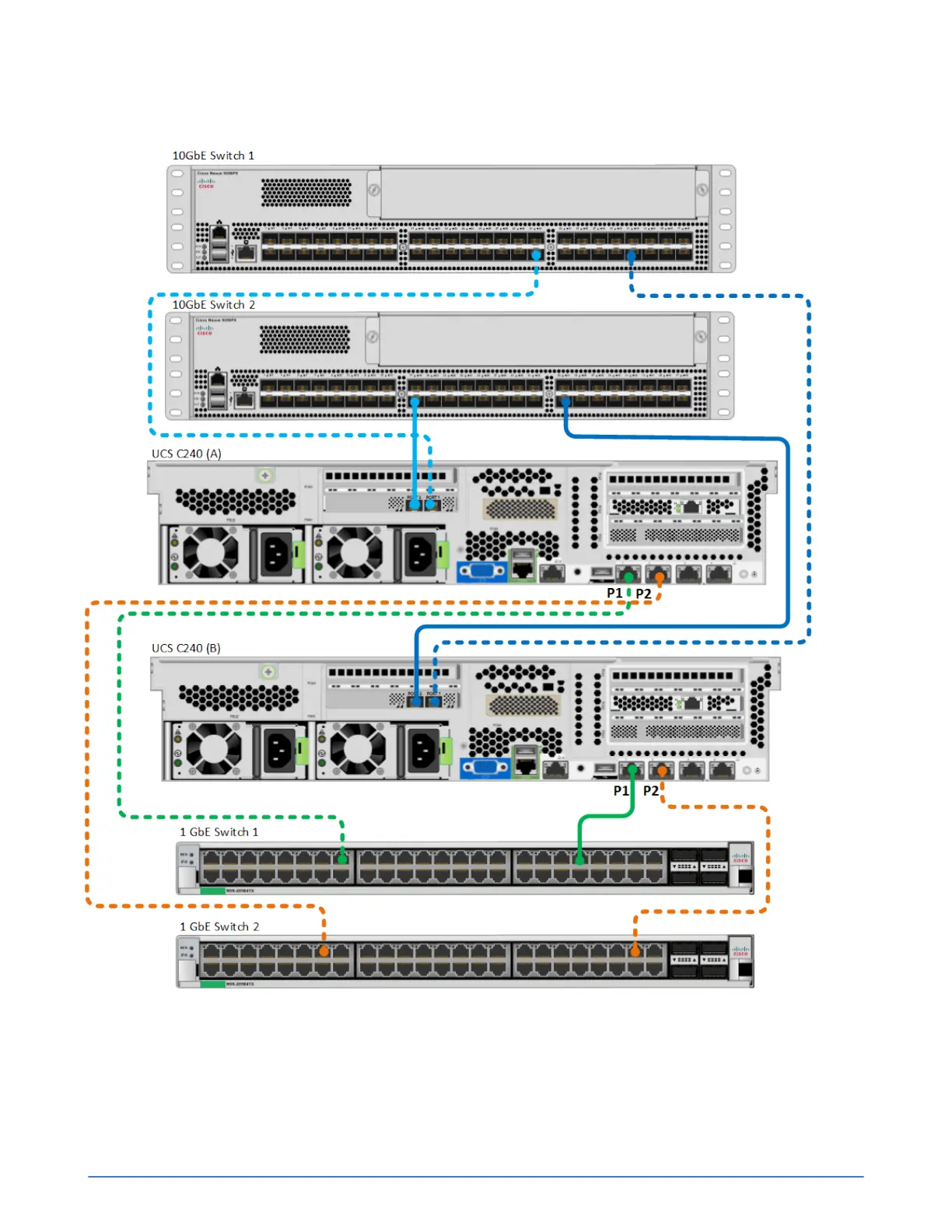
If you are managing the server in Integrated Mode using UCSM, use the 10GbE ports for all three
SimpliVity networks: Storage, Federation, and Management.
Configuration guidelines for each server:
■ Use two SFP+ Direct Attach active cables (or Fiber Optic cables) to connect the 10GbE network
interfaces to different 10GbE switches.
■ Use two network cables to connect the 1GbE network interfaces to different 1GbE switches. 1GbE
cables are not provided in the shipping carton.



 To Next Page