Chapter 4: Server troubleshooting 46
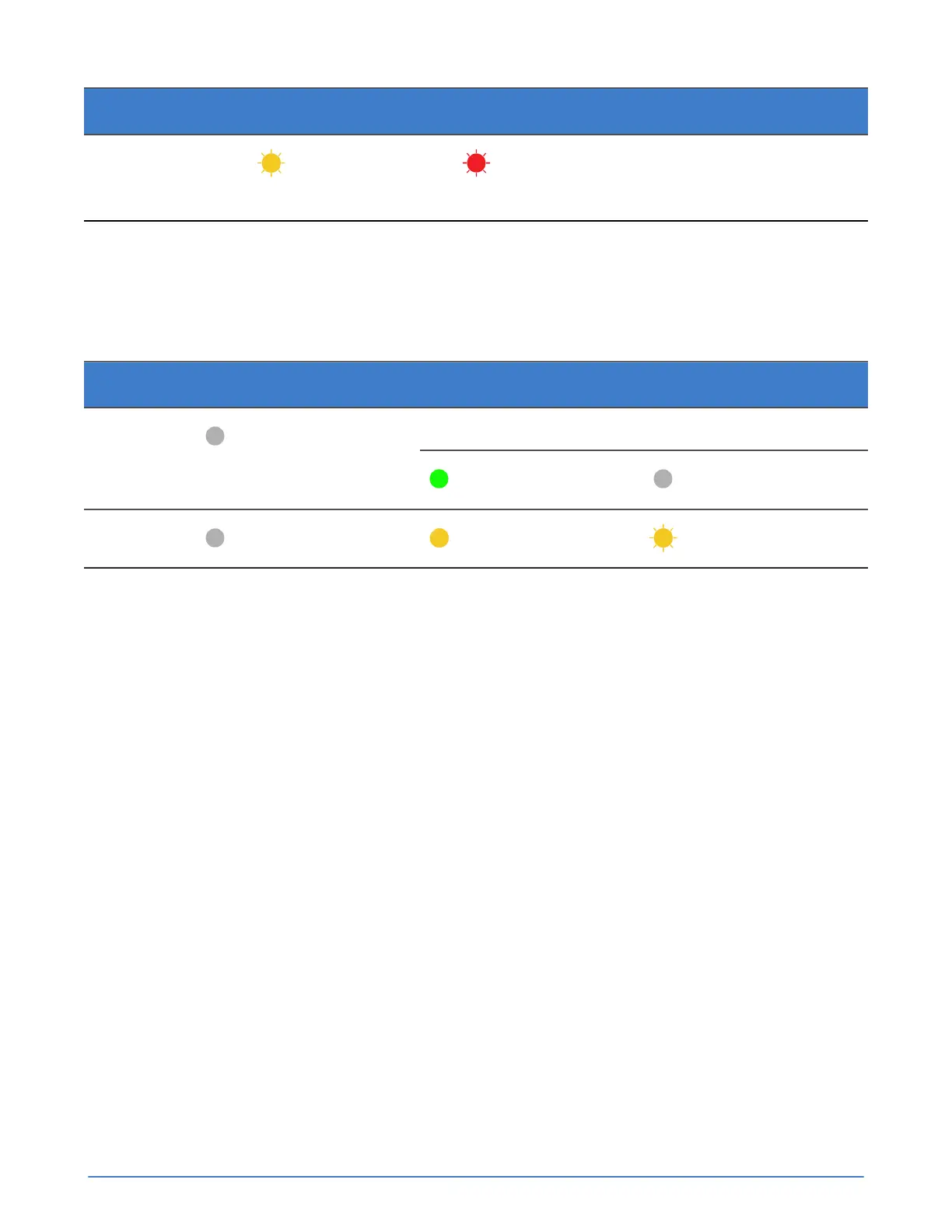
Server state LED 1 LED 2 Description
HostCtrl
Flashing yellow
Flashing red
Not in service. Contact
Customer Support for a
replacement.
Accelerator card is not detected
If the server is unable to detect or communicate with an Accelerator card after you power on the server
or perform a server firmware upgrade, you see error conditions.
Table 11: Accelerator card error conditions
LED number Initial state Error state (Host Ctrl)
After power on After software upgrade1
Off
Steady green Off
2
Off
Steady yellow Flashing yellow
A firmware load error on the Accelerator card might have caused the problem. You can try to correct
this problem by shutting down the server, waiting 3 minutes for the server to fully shutdown, and then
restarting the server, which prompts the Accelerator card to revert to its backup firmware.
Revert an Accelerator card to its backup firmware
Procedure overview
A firmware load failure on the Accelerator card can prevent the card from communicating with the
OmniCube or OmniStack server. You can try to correct this problem by reverting to the backup
firmware. Shutting down the server, waiting 3 minutes for the server to fully shutdown, and then
restarting the server, prompts the Accelerator card to fail and use its backup firmware. If both LEDs
on the Accelerator card are not glowing steady green or the server fails to return to normal operation,
contact Customer Support.
Procedure
1. In your hypervisor management interface, locate the OmniCube host or OmniStack host with the
problem Accelerator card.
2. Shut down and power off the server as explained in the SimpliVity OmniStack Administrator Guide.
3. Wait three minutes until both LEDs have stopped glowing, which indicates that the capacitors on the
Accelerator card have fully discharged.
4. Power on the server.
5. Wait for the server to fully boot.



 To Next Page